Skip to content
View in the app

A better way to browse. Learn more.

MSFN

A full-screen app on your home screen with push notifications, badges and more.

To install this app on iOS and iPadOS
  1. Tap the Share icon in Safari
  2. Scroll the menu and tap Add to Home Screen.
  3. Tap Add in the top-right corner.
To install this app on Android
  1. Tap the 3-dot menu (⋮) in the top-right corner of the browser.
  2. Tap Add to Home screen or Install app.
  3. Confirm by tapping Install.

BigFatBloatedBob

Member
  • Joined

  • Last visited

  • Country

    United Kingdom

Everything posted by BigFatBloatedBob

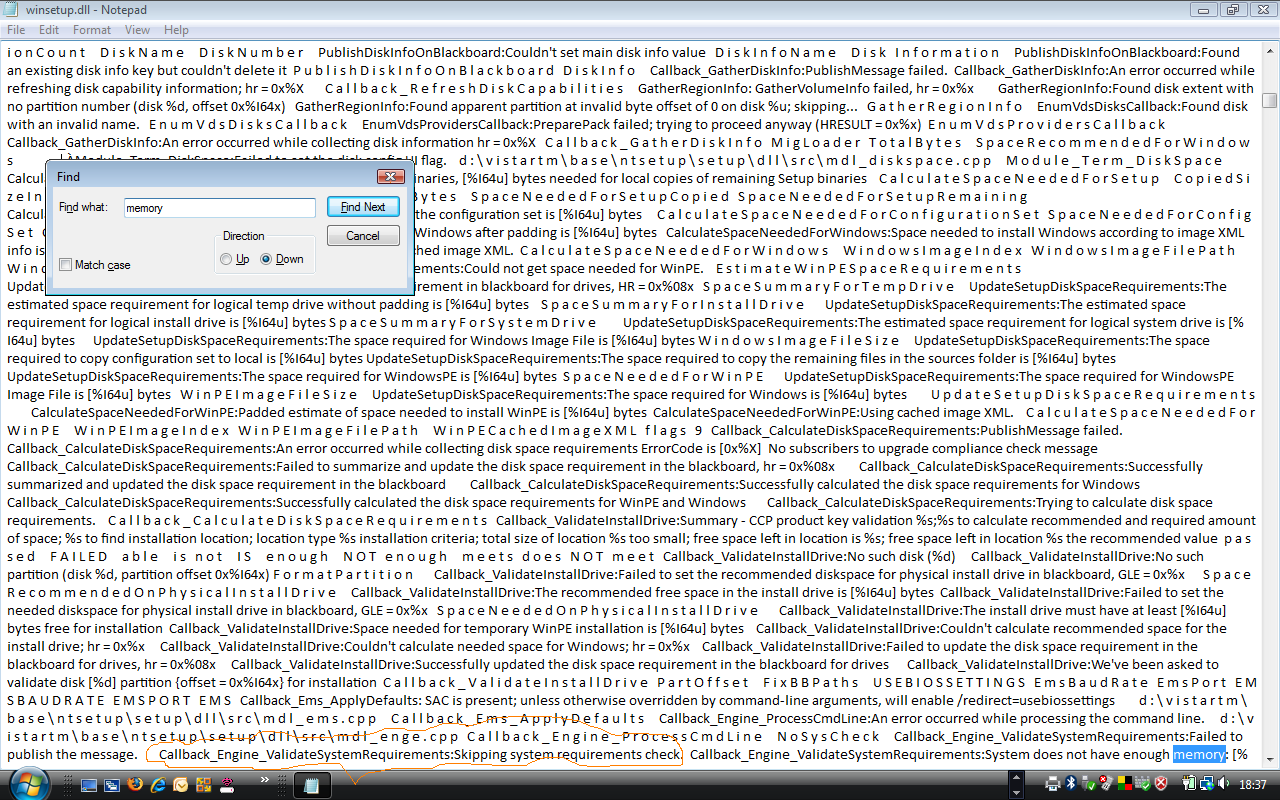
  1. <greets!> Is there a way of running Vista on a PC with 256Mb of RAM, but with 4Mb of shared memory for the on-board graphics? The 256Mb option in TWEAKS patches winsetup.dll, but inside this DLL, there seems to be a call for "Skipping system requirements check." [see enclosed pic]. The function is from "Callback_Engine_ValidateSystemRequirements". Is there a way to implement the "Skipping system requirements check." - either by using a custom setting somewhere, or by some undocumented switch that can be passed to setup.exe from the unattend.xml? If so, this would allow Vista to be installed on any RAM-sized PC (I've happily had it running fine in 192Mb VM - once the RAM was reduced post-install), and this would have the added bonus of installing faster. Tnx, C.


Account

Navigation

Configure browser push notifications

Chrome (Android)
  1. Tap the lock icon next to the address bar.
  2. Tap Permissions → Notifications.
  3. Adjust your preference.
Chrome (Desktop)
  1. Click the padlock icon in the address bar.
  2. Select Site settings.
  3. Find Notifications and adjust your preference.