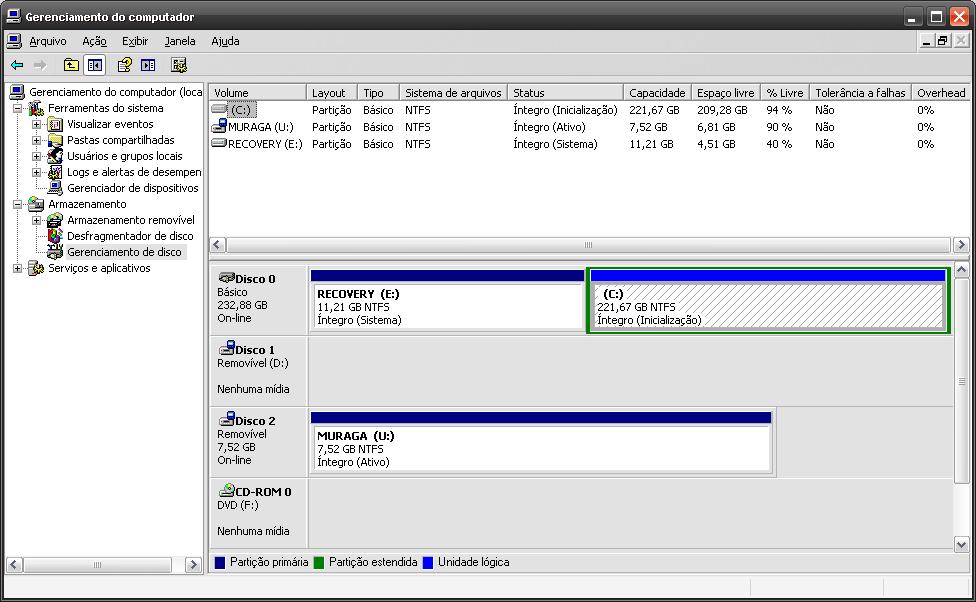
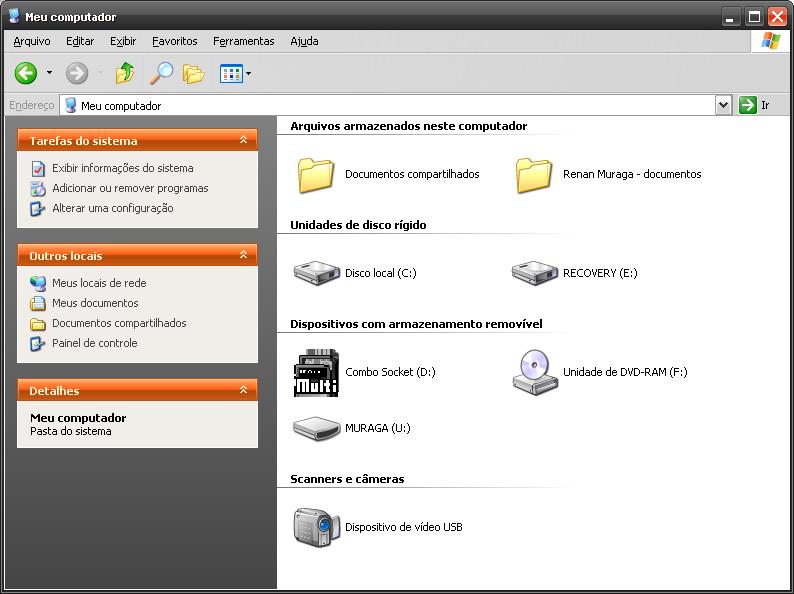
Hi guys First thanks to a lot of help found in this forum! I´ve installed on my notebook (gateway t-1625) a xp pro with usb methods. But in first and second parts, I don´t know why, my notebook turned off. Perhaps the installation continue and finish the second part with no errors. My problem now is this: - When I try to boot normally (HD), i get a error with malfunction of hardware and etc.. - - If I boot from USB, he enter in grub4dos and go to the second part.. and the go tho something like this (this is my boot.ini in drive C) [boot Loader] Timeout=5 Default=multi(0)disk(0)rdisk(1)partition(2)\WINDOWS [Operating Systems] multi(0)disk(0)rdisk(1)partition(2)\WINDOWS="Second part of XP Professional setup from hd 0 part 1" /FASTDETECT c:\="-------------------------" c:\="Try entries below if getting HAL.DLL/NTOSKRNL.EXE not found errors" c:\="--------------------------" multi(0)disk(0)rdisk(1)partition(2)\WINDOWS="Second part of XP Professional setup from hd 0 part 2" /FASTDETECT multi(0)disk(0)rdisk(1)partition(3)\WINDOWS="Second part of XP Professional setup from hd 0 part 3" /FASTDETECT multi(0)disk(0)rdisk(1)partition(4)\WINDOWS="Second part of XP Professional setup from hd 0 part 4" /FASTDETECT multi(0)disk(0)rdisk(2)partition(1)\WINDOWS="Second part of XP Professional setup from hd 1 part 1" /FASTDETECT multi(0)disk(0)rdisk(2)partition(2)\WINDOWS="Second part of XP Professional setup from hd 1 part 2" /FASTDETECT multi(0)disk(0)rdisk(2)partition(3)\WINDOWS="Second part of XP Professional setup from hd 1 part 3" /FASTDETECT multi(0)disk(0)rdisk(2)partition(4)\WINDOWS="Second part of XP Professional setup from hd 1 part 4" /FASTDETECT The bold line works to boot the xp. My disks are in this mode: I´ve read the faq, expecially the number #9 But I didn´t found this files on my system32. I found bunufix5 and copy undoren from WinSetupFromUSB/files. My Computer is this I have the windows installed on drive C:, the E: is a vista recovery files who cames with notebook. The D: I think is from the installation of winsetupfromusb. The U: is my pen drive, from where I boot. In secondpart (from usb boot) the windows say my drive C: (listed here) is the Partition 2. All times I boot from pen drive, they go to the second part installation (they not go to the "third" part...) So... Can I start my installed windows in C: without the USB disk? (sorry for the english... i´m portuguese and my OS too. Win XP SP3)