Skip to content
View in the app

A better way to browse. Learn more.

MSFN

A full-screen app on your home screen with push notifications, badges and more.

To install this app on iOS and iPadOS
  1. Tap the Share icon in Safari
  2. Scroll the menu and tap Add to Home Screen.
  3. Tap Add in the top-right corner.
To install this app on Android
  1. Tap the 3-dot menu (⋮) in the top-right corner of the browser.
  2. Tap Add to Home screen or Install app.
  3. Confirm by tapping Install.

smartbuddy

Member
  • Joined

  • Last visited

  • Country

    India
  1. my .xml is creating mess plzz help me out wid ur .xml file plzz waiting for that???
  2. smartbuddy replied to smartbuddy's topic in vLite
    thanx guy ..
  3. smartbuddy replied to smartbuddy's topic in vLite
    but need atleast windows sidebar & search in that?? is it possible that if i keep this two then also i can put it on cd????
  4. smartbuddy posted a topic in vLite
    tried alot need ur help guys...
  5. i hav this soft but the thing is wann implement da boot screen in vista installation itself .. not like this after installation u generate winload.exe then replace it...
  6. thanx it error was because of da version now m done wid my vlite . gre8 soft .. how can i implement my boot logo file which is winload.exe where can i find it in vista cd??
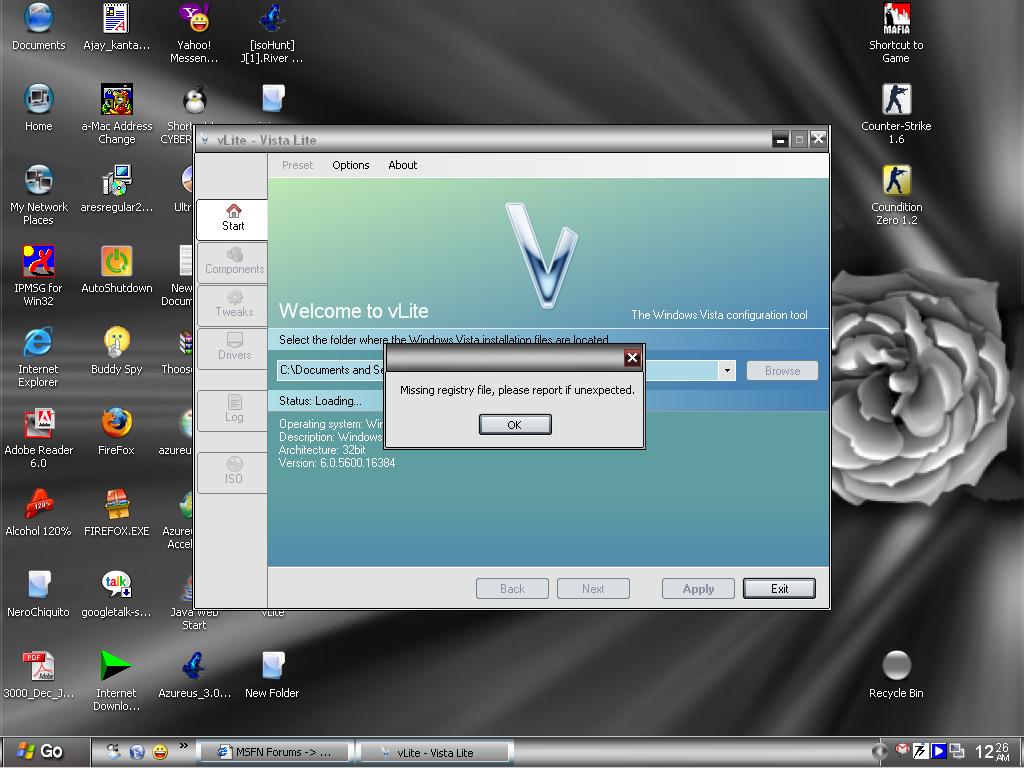
  7. nop what say u which version is suitable to make it .. & precaution to take .. what about that crap !! registry missing error tried everything removed read only. removed antivirus... no use plzz help me thanx for ur quick rply????
  8. hi,, plzz c if one can help me out installed new latest vlite but it gives registry file error my version of vista is new rtm version when i download its name was final 2007 plzzz help meee????????? out guys
Account

Navigation

Search

Search

Configure browser push notifications

Chrome (Android)
  1. Tap the lock icon next to the address bar.
  2. Tap Permissions → Notifications.
  3. Adjust your preference.
Chrome (Desktop)
  1. Click the padlock icon in the address bar.
  2. Select Site settings.
  3. Find Notifications and adjust your preference.