-
Thanks !
-
I think that somebudy sending spyware @ kels and wolfx2 Beware of that use avg internet AVG Anti-Virus Internet Security 7.5 that inc anti spam and antispyware i hope that this working for you bye
-
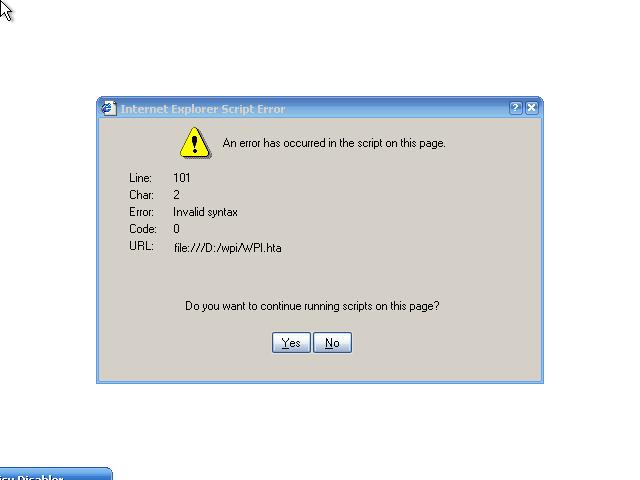
Hi to all i am new here sorry about my bad english I run my image on vmware if the instalation is done than wil run the wpi in the runonce if he starts i get een java error about the script I use the normal wpi no changes from de config.js i change the program.js file only this is my first time white wpi i hope can somebudy help me or fix that error than i can run wpi now whiteout puse the buttons Thanks program.js
-
Hi foks i am new here I have a question about the muilti boot. i want to make a multi boot white menu (dos system) where i can make a choice about 1. Install windows Xp sp2 2. to launch ERD comander Is this possible ? to make a multiboot zo like this ? can somebody help my to build or give my info about this sorry for the bad engels Thanks off topic I read the Guide about the multiboot