Skip to content
View in the app

A better way to browse. Learn more.

MSFN

A full-screen app on your home screen with push notifications, badges and more.

To install this app on iOS and iPadOS
  1. Tap the Share icon in Safari
  2. Scroll the menu and tap Add to Home Screen.
  3. Tap Add in the top-right corner.
To install this app on Android
  1. Tap the 3-dot menu (⋮) in the top-right corner of the browser.
  2. Tap Add to Home screen or Install app.
  3. Confirm by tapping Install.

abo.rwazn

Member
  • Joined

  • Last visited

  • Country

    Saudi Arabia
  1. Thanks Yes all 1800 pcs in same domain "" If they are you should define a group policy for remote assistance "" -----> Yes To help him in future Please Send to me the script That You say. thanks
  2. why ignore me ? no answer until now :blink: :blink:
  3. thanks for all. my question exactly: I work in A big company contain ( more than 1800 pcs ) all these pcs connected via one domain. when I receive any call to fix any problem ( some time in other city ) should me go to there to repair this problem that will need A long time to fix one problem. now i need to use remote assistance . also should me create the invitation file for every PC we have ( that is more difficult) is there any way to create this invitation automaticly? is there any way to use one invitation for all users ( after change the ip) this my question.

  4. No answer , no experts here!!
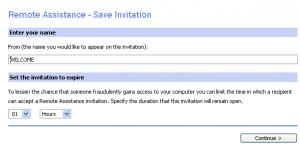
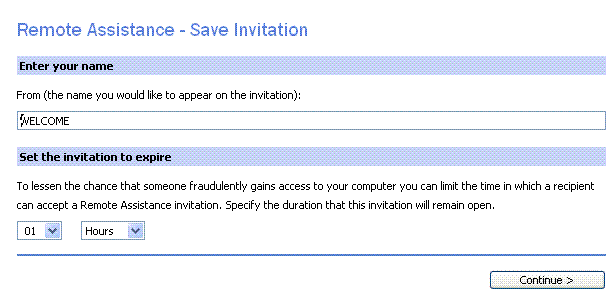
  5. Dear All; I Need Script Or Batch Or Any Code That be Create A Remote Assistance Invitation File Automaticly Or Any File Open This Page Directly (in attachment) thanks,

Account

Navigation

Configure browser push notifications

Chrome (Android)
  1. Tap the lock icon next to the address bar.
  2. Tap Permissions → Notifications.
  3. Adjust your preference.
Chrome (Desktop)
  1. Click the padlock icon in the address bar.
  2. Select Site settings.
  3. Find Notifications and adjust your preference.