Everything posted by mandrake83
-
No need to shout! First of all, you never mentioned T-37 in your post. Second, you didn't post your entire winnt.sif file, so there was no way of knowing what's in it and what isn't. Sorry CTRL-X! Here is my full winnt.sif: ;SetupMgrTag [Data] AutoPartition=0 MsDosInitiated="0" UnattendedInstall="Yes" [unattended] OemPreinstall=Yes UnattendSwitch="yes" TargetPath=\WINDOWS OemSkipEula=1 [GuiUnattended] AdminPassword=* EncryptedAdminPassword=NO AutoLogon = "Yes" AutoLogonCount = 1 TimeZone = 095 OEMSkipRegional=1 OemSkipWelcome = 1 OemSkipEula = Yes [userData] ProductID= FullName="Username" OrgName="Company" ComputerName=HOME [identification] JoinWorkgroup=WORKGROUP [Networking] InstallDefaultComponents=Yes [Data] AutomaticUpdates = No [Display] BitsPerPel = 32 XResolution = 1024 YResolution = 768 VRefresh = 60 AutoConfirm = 1 And it still don't works. What can I do for automatic agree the License argument?
-
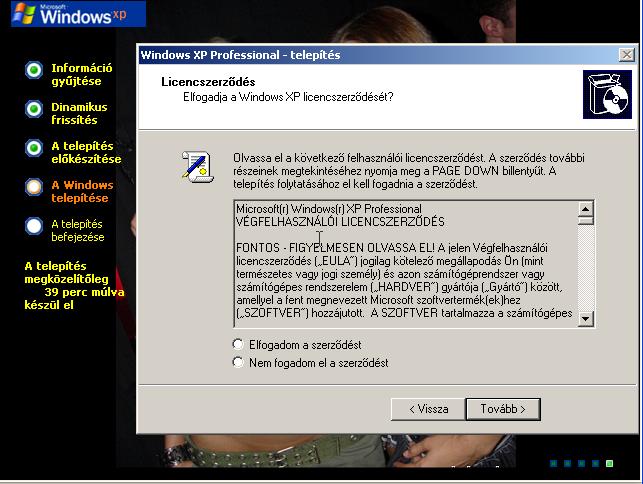
No!!! I said the license argument in the T-37... See the attached file...How Can I skip this window??????
-
Hi everybody! I want to make a FullUnattanded XP CD, but one thing is wrong and the CD isn't FullUnnatended. So my problem is: the beginnig of the installation, XP shows the "License Argument" and I must click "I agree the license"... How can I switch of this window..or how can I make this method automatic. Here is my winnt.sif, it's works fine, but the License window is still there.... Please help me! Winnt.sif: AdminPassword=* EncryptedAdminPassword=NO AutoLogon = "Yes" AutoLogonCount = 1 TimeZone = 095 OEMSkipRegional=1 OemSkipWelcome = 1
-
Okay I wait for a night but the installation is still at "37 minutes remaining".....So something doesn't works correctly....Please help me!
-
I have this problem too... I don't do a lot of changes I just change the boot screen in winntbbu.dll. The partition and copying files is ok, but after the reboot the installation is VERY slow. It shows that "39 minutes remainig"... 20! minutes after it shows "37 minutes remaining". So it VERY VERY slow!! I use the test vmware workstation.... Can anyone help me??? What can be the problem?? And here is my winnt.sif: ;SetupMgrTag [Data] AutoPartition=0 MsDosInitiated="0" UnattendedInstall="Yes" [unattended] OemPreinstall=Yes UnattendSwitch="yes" TargetPath=\WINDOWS [GuiUnattended] EncryptedAdminPassword=NO OEMSkipRegional=1 [userData] ProductID=VWV7H-TF8FC-BDGGD-GDPCK-T3Y9W FullName="" OrgName="" [identification] JoinWorkgroup=WORKGROUP [Networking] InstallDefaultComponents=Yes