Skip to content
View in the app

A better way to browse. Learn more.

MSFN

A full-screen app on your home screen with push notifications, badges and more.

To install this app on iOS and iPadOS
  1. Tap the Share icon in Safari
  2. Scroll the menu and tap Add to Home Screen.
  3. Tap Add in the top-right corner.
To install this app on Android
  1. Tap the 3-dot menu (⋮) in the top-right corner of the browser.
  2. Tap Add to Home screen or Install app.
  3. Confirm by tapping Install.

snakessj

Member
  • Joined

  • Last visited

  • Country

    Italy

Everything posted by snakessj

  1. snakessj replied to snakessj's topic in XPize
    Not interessant?
  2. snakessj posted a topic in XPize
    Hi! Why you don't XPize flashget with inside icons? See the screenshot:
  3. Tnx! I love it^^
  4. Hi! I want old XPize screensaver, (saltcellar logo) where can I found it? Tnx!
  5. Does someone know how to remove the changed font?
  6. Cursor problem solved (one less) Charge this Normal_Select.rar cursor at the place of the "Normal Select.cur" in Fedora package: all Fedora's cursors are in XP colors with alpha shadow and not visualize the PLUS! I've converted this in True Color and the PLUS reappeared! B)
  7. Can somebody help me? TNX!!!
  8. In every case they are two things that give me bother. How can I resolve the problems?
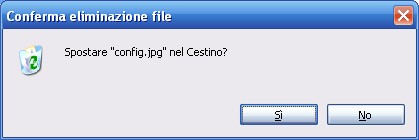
  9. Hi! I've tried XPize...great product, but I've some problems (too much beautiful otherwise) ^_^ FIRST PROBLEM: the icons of the dialogue boxes are stretched SECOND PROBLEM: when I COPY a file it doesn't appear the ''+'' near the cursor HELP ME PLEASE

Account

Navigation

Configure browser push notifications

Chrome (Android)
  1. Tap the lock icon next to the address bar.
  2. Tap Permissions → Notifications.
  3. Adjust your preference.
Chrome (Desktop)
  1. Click the padlock icon in the address bar.
  2. Select Site settings.
  3. Find Notifications and adjust your preference.