



Skip to content
View in the app

A better way to browse. Learn more.

MSFN

A full-screen app on your home screen with push notifications, badges and more.

To install this app on iOS and iPadOS
  1. Tap the Share icon in Safari
  2. Scroll the menu and tap Add to Home Screen.
  3. Tap Add in the top-right corner.
To install this app on Android
  1. Tap the 3-dot menu (⋮) in the top-right corner of the browser.
  2. Tap Add to Home screen or Install app.
  3. Confirm by tapping Install.

Pr0phet

Member
  • Joined

  • Last visited

  • Country

    United Kingdom
  1. That i can do what i need help on is when ever i open the ntoskrl.exe with any prog i dont see the images that i see when i boot with the exe..
  2. Let me get this right cos im not sure i get you after youve finished installing your xp you want your OWN moddified theme to be the first thing you see on the desktop instead of the crappy luna theme.. If this is correct its easy to sort
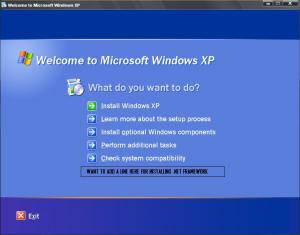
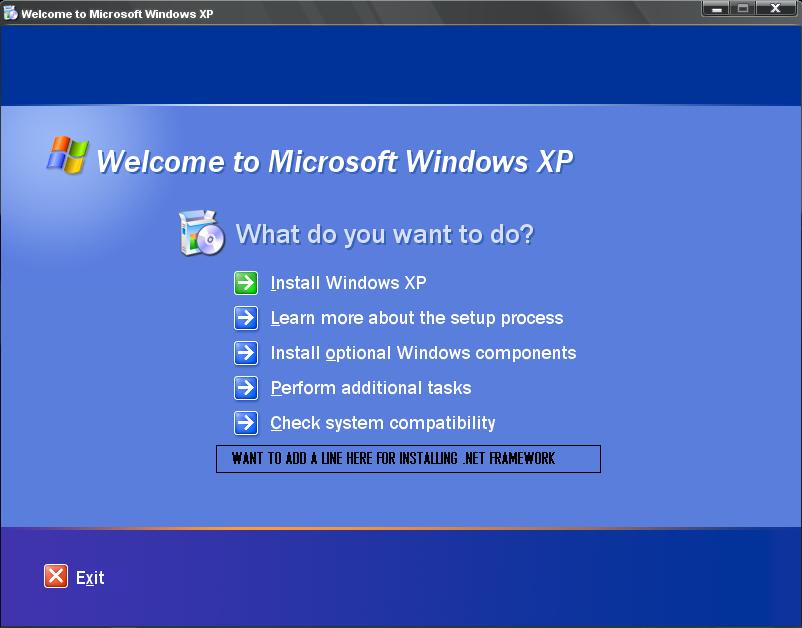
  3. Hi i was wondering does anyone no how to do what im asking about adding a line of text under the last one on the main windows screen when it loads ive added a pic to explain. Ive made my own streamlined windows cd & just wanted to no if it was possible & if so how i'd go about doin it thankz in advance
Account

Navigation

Configure browser push notifications

Chrome (Android)
  1. Tap the lock icon next to the address bar.
  2. Tap Permissions → Notifications.
  3. Adjust your preference.
Chrome (Desktop)
  1. Click the padlock icon in the address bar.
  2. Select Site settings.
  3. Find Notifications and adjust your preference.