Skip to content
View in the app

A better way to browse. Learn more.

MSFN

A full-screen app on your home screen with push notifications, badges and more.

To install this app on iOS and iPadOS
  1. Tap the Share icon in Safari
  2. Scroll the menu and tap Add to Home Screen.
  3. Tap Add in the top-right corner.
To install this app on Android
  1. Tap the 3-dot menu (⋮) in the top-right corner of the browser.
  2. Tap Add to Home screen or Install app.
  3. Confirm by tapping Install.

Broncobil

Member
  • Joined

  • Last visited

  • Country

    United States
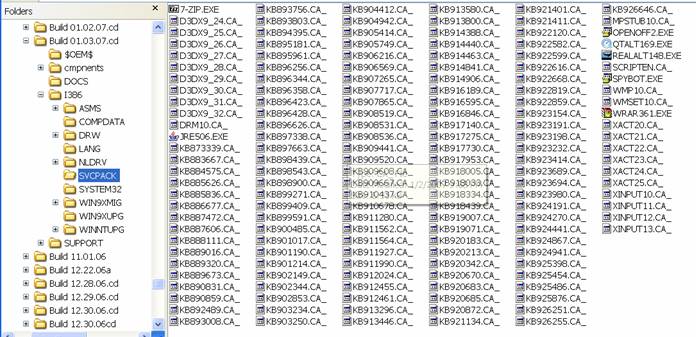
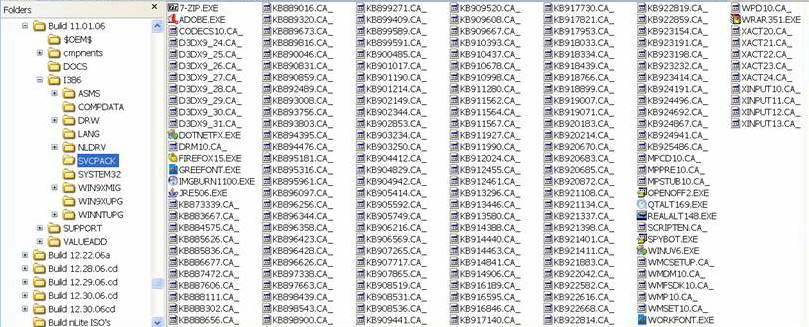
  1. Hey guys... I too am having a problem that, for two weeks, I have not been able to resolve. The last nlite build that I have had success with is 1.2RC. I just cannot figure out what it is i'm doing wrong, but, over half of my addons are not getting installed... including IE, Firefox and others. I've included attachments if anyone has time to check it out for me. I've included my November build and my January build. I have been using nlite for over a year and this is the first real problem I have encountered. It is a great product and I really love it. Thanks... Broncobil LAST_SESSION.INI LAST_SESSION.INI
Account

Navigation

Configure browser push notifications

Chrome (Android)
  1. Tap the lock icon next to the address bar.
  2. Tap Permissions → Notifications.
  3. Adjust your preference.
Chrome (Desktop)
  1. Click the padlock icon in the address bar.
  2. Select Site settings.
  3. Find Notifications and adjust your preference.