Everything posted by black_13
-
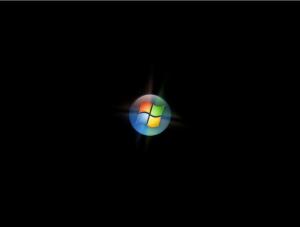
how do i bypass showing the windows logo and go directely to the shell? i have uploaded what i mean by the windows logo. thanks black_13
-
Good news everybody: I was able to remove the welcome screen with help from Andre Da Costa[ActiveWin]: 1. Start Regedit. 2. Navigate through HKEY_CURRENT_USER, Software, Microsoft, Windows, CurrentVersion, Run. 3. Right click on the WindowsWelcomeCenter key and select Delete. The next time you restart the Welcome Center will be gone. This did the trick. however i still have the pesky image as above. but guess what if you run sysprep /oobe it all comes back with and ugly vengence
-
i would like to know how to bypass we welcome center in vista. does this involve the file oobe.xml? or something else. my ultimate goal is to go from the white progress bar at windows boot to a custom shell (replacing the standard explorer.exe shell) thanks black_13
-
That was not the answer I was hoping for. Then how does vlite work? My concern is that vlite is not microsoft authorized product and I might be breaking the EULA. What about the pkgmgr tool it has the option /uu to remove a named package but what are the packages names? Does vlite do this? thanks black_13
-
I have started to get a handle on vlite and made smaller and smaller installs. What I was wondering is what vlite does can be done using the Vista OPK/AIK? Thats is: 1. Create and ISO/DVD has programmer customized setup. 2. Remove items that the programmer system integrator deems unnecessary? So far this have been easy in vlite but with the OPK/AIK have not found where to do this yet. I have found the portion that deals with answer files. but not where the install.wim file is modified. thanks black_13
-
Is it possible to create an install that does not have IE? Thanks, black13
-
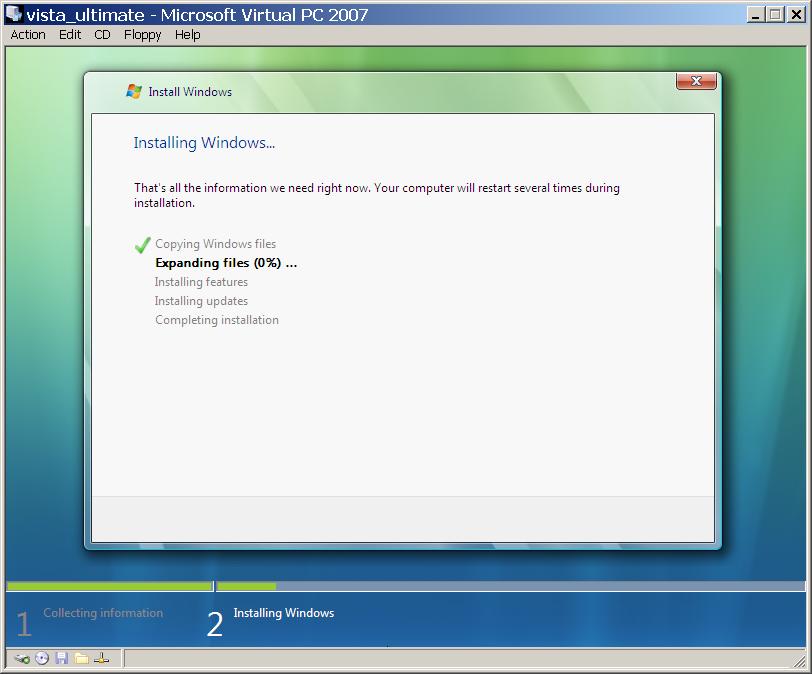
The previous poster was correct. I just needed to wait a while ... a long while but once it starts it does speed up. Also this install was on Microsofts VM that may have something to do with the speed of the install. thanks black_13
-
I have just downloaded and installed vlite and created an install iso. the iso boots fine but at the point of showing that its copying files it stays at Expanding files (0%) is there something I may have missed when using vlite? thanks black_13
-
What is the relationship between windows pe and widows xp embedded? At the place I work at I have been tasked with building either bootable cd or the equivalent on DOC/DOM device. while doing some research I came accross windows pe and barts pe. Can I use windows xp embedded tools to creat something similar to windows pe or the image created by barts pe? Also if these questions are off topic for this forum I appologize and will take the questions to the proper forum if need be. black_13