Everything posted by amk316
-
i downloaded the all versions Vista SP1 form Microsoft and tried to integrate AR language pack to all versions but no success. if i integrate for example business version with AR language and rebuild all versions and try to install the business version works ok but if i install any other version it will give me an error during installation. help me please ps. i want both en and ar for all versions in one DVD
-
i did kb942903 and it did not help but the kb947506 is new to me i will try it and tell you. thx
-
no its the same bro... fresh installed vLite and fresh copy of Vista(its from first day vista was released)
-
i don't know??? i will do it once more and tell you.....
-
no its untampered just put the DVD in the drive after extracting the all files (all vista versions) selected Vista ultimate and add the language pack and then the error.....
-
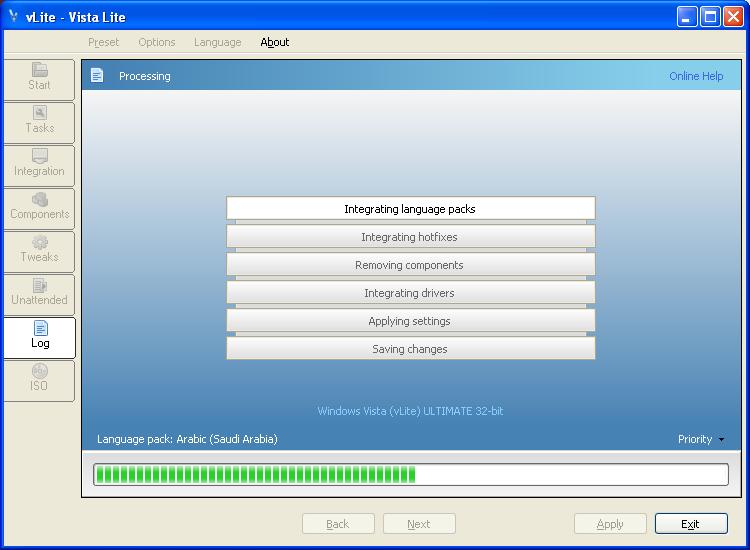
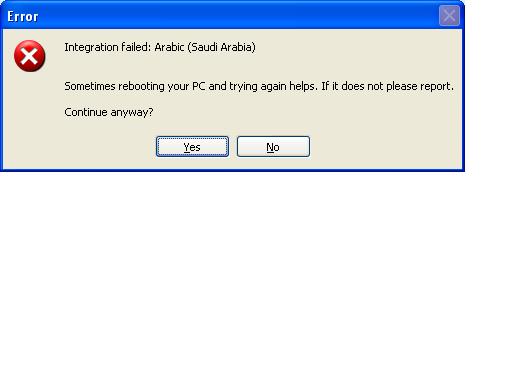
thanks for the grate program every one but i'm trying to integrate Arabic language in to Vista ultimate and it will stick in the meddle for 10 min then give me this error i even integrate KB942903 and it did not help. ps. i installed fresh EN vista in to the Machine and used windows update to install Arabic pack and it did not work!!!!
-
Windows Registry Editor Version 5.00 [HKEY_LOCAL_MACHINE\SOFTWARE\Microsoft\Windows NT\CurrentVersion\Winlogon] "DefaultUserName"="Administrator" "DefaultPassword"="" "AutoAdminLogon"="1" also did not work
-
did not work!!!
-
Is there another command in windows 2000 instead for reg.exe to add RunOnceEx.cmd registry values? I putted reg.exe in the $OEM$ directory but it did not work!! Regards;
-
In windows 2000 … how do I uncheck "Users must enter a user name and password to use this computer" in Control Panel\Users and Passwords Automatically. regards,