Everything posted by Yashiv
-
Actually I did but I had a problem with UT2004 and I read on a forum to alleviate it, to set the PF max size to 2048MB. It worked for me at least. I fixed my problem by the way. Deleted the pagefile and rebooted. Now it's back to a normal size. Followed this article.... http://www.theeldergeek.com/clear_pagefile...em_shutdown.htm
-
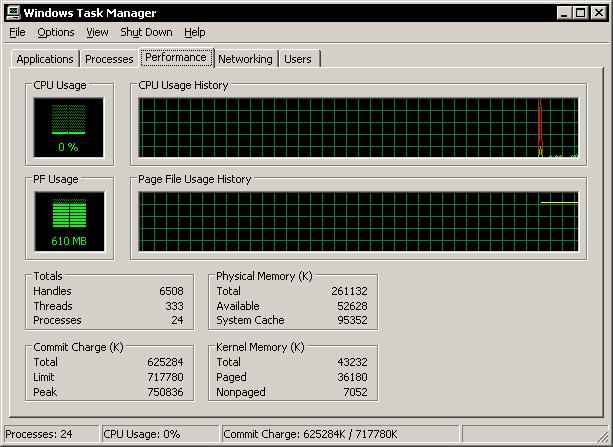
I haven't seen any noticeable slowdown but I have been keeping use to a minimum in case it is something really bad. The pagefile is just insanely big. I attached a .jpg with the taskman stats. It says 610MB used for the PF. However that is because my brother had soulseek open at the time and internet explorer was also open (using a whopping >50000KB of memory).

-
This afternoon I was playing Unreal Tournament 2004 on my PC when I lost power (sorry don't have a UPS). When electricity returned and i started up my PC I happened to note that my pagefile size after booting was in the order of 400-500 MB when it normally is between 130-200 MB after booting. I was wondering if anybody encountered anything else like this or if anybody has any suggestions about what I could do to return my system to normal please tell me. System: Dell Dimension 8200 P4 2.26GHz 256 MB RDRAM WinXP w/ SP2 and latest updates Min Pagefile Size: 384MB Max Pagefile Size: 2048MB