-
Hello All, I seems to have it solved i edited the txtsetup.sif and changed the following: [HardwareIdsDatabase] PCI\VEN_1106&DEV_3149&SUBSYS_80ED1043 = "viasraid" --> deleted PCI\VEN_1106&DEV_3149 = "viamraid" changed to PCI\VEN_1106&DEV_3149 = "viasraid" [sCSI] viasraid = "VIA SATA RAID Controller" changed to viasraid = "VIA Serial ATA RAID Controller" To get this post complete Bashrat asked me what the HWID is: PCI\VEN_1106&DEV_3149&SUBSYS_70201462&REV_80 Thanks bashrat, for your support, Also directly by e-mail.
-
Where can i get it? txtsetup.oem?? here it is: # # format for txtsetup.oem. # # General format: # # [section] # key = value1,value2,... # # # The hash ('#') introduces a comment. # Strings with embedded spaces, commas, or hashes should be double-quoted # # This section lists all disks in the disk set. # # <description> is a descriptive name for a disk, used when # prompting for the disk # <tagfile> is a file whose presence allows setup to recognize # that the disk is inserted. # <directory> is where the files are located on the disk. # [Disks] d1 = "VIA Serial ATA RAID Controller Driver ", \VT8237, \winxp d2 = "VIA Serial ATA RAID Controller Driver ", \VT8237, \win2000 d3 = "VIA Serial ATA RAID Controller Driver ", \VT8237, \winnt40 d4 = "VIA Serial ATA RAID Controller Driver ", \VT8237, \2003ia32 # This section lists the default selection for each 'required' # hardware component. If a line is not present for a component, # the default defaults to the first item in the [<component_name>] # section (see below). # # <component_name> is one of computer, display, keyboard, mouse, scsi # <id> is a unique <within the component> string to be associated # with an option. [Defaults] scsi = VIARAID_VT3149_XP # This section lists the options available for a particular component. # # <id> is the unique string for the option # <description> is a text string, presented to the user in a menu # <key_name> gives the name of the key to be created for the component in # HKEY_LOCAL_MACHINE\ControlSet001\Services [scsi] VIARAID_VT3149_2003IA32 = "VIA Serial ATA RAID Controller(Windows 2003 IA32)",VT8237 VIARAID_VT3149_XP = "VIA Serial ATA RAID Controller(Windows XP)",VT8237 VIARAID_VT3149_2K = "VIA Serial ATA RAID Controller(Windows 2000)",VT8237 VIARAID_VT3149_NT = "VIA Serial ATA RAID Controller(Windows NT4)",VT8237 # This section lists the files that should be copied if the user # selects a particular component option. # # <file_type> is one of driver, port, class, dll, hal, inf, or detect. # See below. # <source_disk> identifies where the file is to be copied from, and must # match en entry in the [Disks] section. # <filename> is the name of the file. This will be appended to the # directory specified for the disk in the [Disks] section to form the # full path of the file on the disk. #=======================================# [Files.scsi.VIARAID_VT3149_2003IA32] driver = d4, viasraid.sys, viasraid inf = d4, viasraid.inf ## Cat file directive. It should be marked with non-digital signed driver catalog = d4, viasraid.cat [Files.scsi.VIARAID_VT3149_XP] driver = d1, viasraid.sys, viasraid #dll = d1, setupvia.dll inf = d1, viasraid.inf ## Cat file directive. It should be marked with non-digital signed driver catalog = d1, viasraid.cat [Files.scsi.VIARAID_VT3149_2K] driver = d2, viasraid.sys, viasraid #dll = d2, setupvia.dll inf = d2, viasraid.inf ## Cat file directive. It should be marked with non-digital signed driver catalog = d2, viasraid.cat [Files.scsi.VIARAID_VT3149_NT] driver = d3, viasraid.sys, viasraid inf = d3, viasraid.inf [HardwareIds.scsi.VIARAID_VT3149_2003IA32] id = "PCI\VEN_1106&DEV_3149","viasraid" [HardwareIds.scsi.VIARAID_VT3149_XP] id = "PCI\VEN_1106&DEV_3149","viasraid" [HardwareIds.scsi.VIARAID_VT3149_2K] id = "PCI\VEN_1106&DEV_3149","viasraid" # This section specifies values to be set in the registry for # particular component options. Required values in the services\xxx # key are created automatically -- use this section to specify additional # keys to be created in services\xxx and values in services\xxx and # services\xxx\yyy. # # <key_name> is relative to the services node for this device. # If it is empty, then it refers to the services node. # If specified, the key is created first. # <value_name> specifies the value to be set within the key # <value_type> is a string like REG_DWORD. See below. # <value> specifies the actual value; its format depends on <value_type> [Config.VT6420] value = "", Tag, REG_DWORD, 1 #HP-Delete following line #value = "Parameters\PnpInterface", 5, REG_DWORD, 1
-
Hello Bâshrat the Sneaky I have a MSI KT8 neo mobo. [SourceDisksFiles] viasraid.sys = 1,,,,,,4_,4,1,,,1,4 [HardwareIdsDatabase] PCI\VEN_1106&DEV_3149 = "viasraid" [SCSI.load] viasraid = viasraid.sys,4 [SCSI] viasraid = "VIA Serial ATA RAID Controller"
-
no it is't my CPu is by the way AMD 64 3000+ also, i mentioned that i install XP on a SATA raid drive. the Raid controller is a VIA 8237/VT6420 (Don't know if that causes the problem but i read something about problems with it.)
-
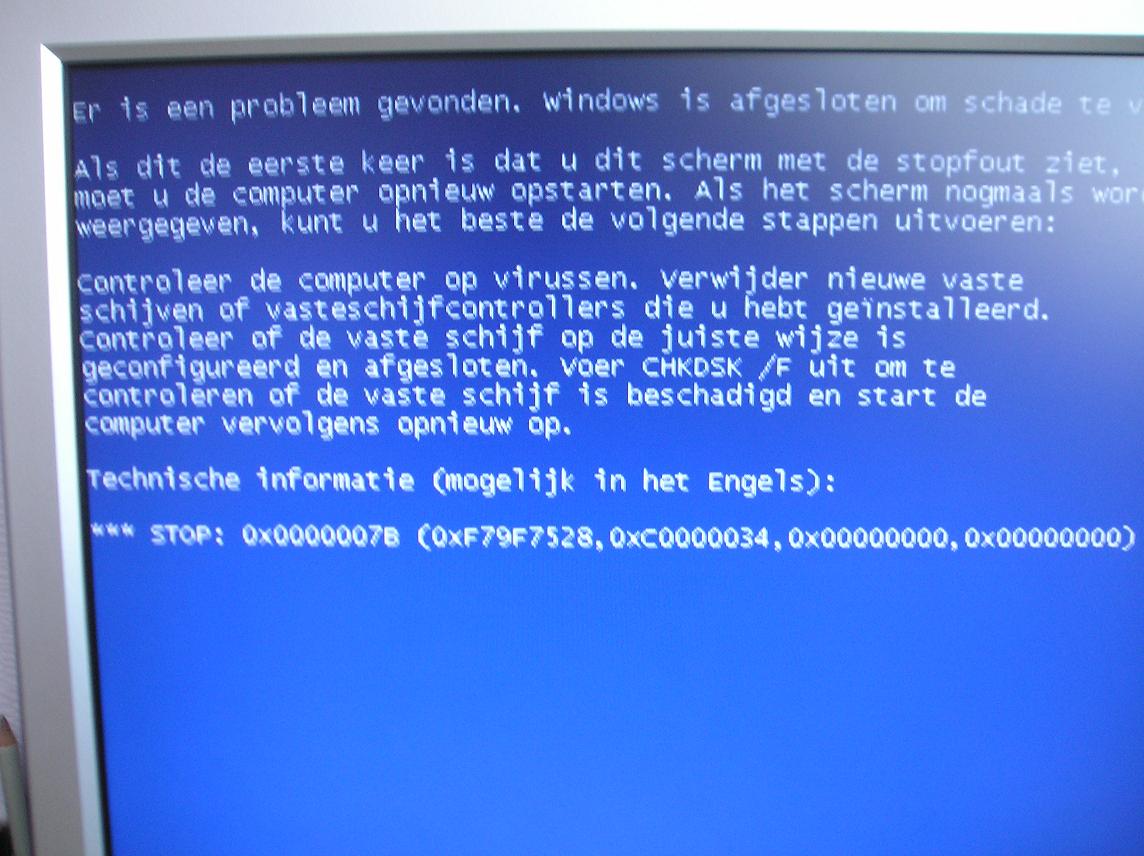
Hello All, During installation of Win XP, i get the Blue screen, I use all driver packages of Bâshrat the Sneaky. using methode 2. I Want to install it on a SATA raid drive. but after copying the files, i get a bleuscreen. Here is my winnt.sif ;SetupMgrTag [Data] MsDosInitiated = "No" AutoPartition=0 UnattendedInstall="Yes" AutomaticUpdates=yes [Unattended] DriverSigningPolicy=Ignore OemPreinstall = "Yes" UnattendMode=FullUnattended OemSkipEula=Yes UnattendSwitch="YES" TargetPath=\WINDOWS FileSystem=* Keyboardlayout="VS-internationaal" [GuiUnattended] AdminPassword=* EncryptedAdminPassword=NO OEMSkipRegional=1 TimeZone=110 OemSkipWelcome=1 [UserData] ProductKey=xxxxx-xxxxx-xxxxx-xxxxx-xxxxx FullName="Gebruiker" OrgName="" ComputerName=Comp1 [Display] Xresolution=1024 YResolution=768 [Shell] CustomDefaultThemeFile = "%WinDir%\Resources\Themes\eigen.theme" [TapiLocation] CountryCode=31 if more information is needed please tell me. attached is a photo of the blue screen
-
Hello All, I want to make my unattended CD of Win XP for multiple computer, but the problem is that one computer has a ATI 7500 all in wonder card and one has a Nvidia card. I think i can make a Driver map called 001-ATI and 002-Nvidia and let the driver installation go from winNT.sif but.... This way i can install the control panel for ATI. When i do this from Runonce CMD it will also be installed on the computer with the Nvidia card. so I would like to make something like this, If exist a 'ATi card' (for example a filename some where) install Driver/WDM/Control pannel if exist a 'Nvidia card' install these drivers. This process may run from the runonce file. Hope some one can help me here.
-
Hi, I got it already working, I used this text: [SourceDisksFiles] viasraid.sys = 1,,,,,,4_,4,1,,,1,4 [HardwareIdsDatabase] PCI\VEN_1106&DEV_3149 = "viasraid" [SCSI.load] viasraid = viasraid.sys,4 [SCSI] viasraid = "VIA Serial ATA RAID Controller" thanks anyway
-
Hello all, Can someone help me with creating the correct txtsetup.sif file. I need this file for my WinXP cd-rom, i tried several options and looked though this forum but couldnt find the right sollution It should be in the format: [sourceDisksFiles] [HardwareIdsDatabase] [sCSI.load] [sCSI] this is my txtsetup.oem file: # # format for txtsetup.oem. # # General format: # # [section] # key = value1,value2,... # # # The hash ('#') introduces a comment. # Strings with embedded spaces, commas, or hashes should be double-quoted # # This section lists all disks in the disk set. # # <description> is a descriptive name for a disk, used when # prompting for the disk # <tagfile> is a file whose presence allows setup to recognize # that the disk is inserted. # <directory> is where the files are located on the disk. # [Disks] d1 = "VIA ATA/ATAPI Host Controller Driver", \VT6420, \PIDE\winxp d2 = "VIA ATA/ATAPI Host Controller Driver", \VT6420, \PIDE\win2000 d3 = "VIA ATA/ATAPI Host Controller Driver", \VT6420, \PIDE\winnt40 d4 = "VIA Serial ATA RAID Controller Driver ", \VT6420, \SATA\winxp d5 = "VIA Serial ATA RAID Controller Driver ", \VT6420, \SATA\win2000 d6 = "VIA Serial ATA RAID Controller Driver ", \VT6420, \SATA\winnt40 d7 = "VIA ATA/ATAPI Host Controller Driver", \VT6420, \PIDE\2003ia32 d8 = "VIA Serial ATA RAID Controller Driver ", \VT6420, \SATA\2003ia32 # This section lists the default selection for each 'required' # hardware component. If a line is not present for a component, # the default defaults to the first item in the [<component_name>] # section (see below). # # <component_name> is one of computer, display, keyboard, mouse, scsi # <id> is a unique <within the component> string to be associated # with an option. [Defaults] scsi = VIARAID_VT3149_XP # This section lists the options available for a particular component. # # <id> is the unique string for the option # <description> is a text string, presented to the user in a menu # <key_name> gives the name of the key to be created for the component in # HKEY_LOCAL_MACHINE\ControlSet001\Services [scsi] VIARAID_VT3149_2003IA32 = "VIA Serial ATA RAID Controller(Windows 2003 IA32)",VT6420 VIARAID_VT3149_XP = "VIA Serial ATA RAID Controller(Windows XP)",VT6420 VIARAID_VT3149_2K = "VIA Serial ATA RAID Controller(Windows 2000)",VT6420 VIARAID_VT3149_NT = "VIA Serial ATA RAID Controller(Windows NT4)",VT6420 VIAPDSK_VT4149_2003IA32 = "VIA ATA/ATAPI Host Controller(Windows 2003IA32)",VT6420 VIAPDSK_VT4149_XP = "VIA ATA/ATAPI Host Controller(Windows XP)",VT6420 VIAPDSK_VT4149_2K = "VIA ATA/ATAPI Host Controller(Windows 2000)",VT6420 VIAPDSK_VT4149_NT = "VIA ATA/ATAPI Host Controller(Windows NT4)",VT6420 # This section lists the files that should be copied if the user # selects a particular component option. # # <file_type> is one of driver, port, class, dll, hal, inf, or detect. # See below. # <source_disk> identifies where the file is to be copied from, and must # match en entry in the [Disks] section. # <filename> is the name of the file. This will be appended to the # directory specified for the disk in the [Disks] section to form the # full path of the file on the disk. #=======================================# [Files.scsi.VIAPDSK_VT4149_2003IA32] driver = d7, viapdsk.sys, viapdsk inf = d7, viapide.inf ## Cat file directive. It should be marked with non-digital signed driver #catalog = d7, viapdsk.cat [Files.scsi.VIAPDSK_VT4149_XP] driver = d1, viapdsk.sys, viapdsk #dll = d1, setupvia.dll inf = d1, viapide.inf ## Cat file directive. It should be marked with non-digital signed driver catalog = d1, viapdsk.cat [Files.scsi.VIAPDSK_VT4149_2K] driver = d2, viapdsk.sys, viapdsk #dll = d2, setupvia.dll inf = d2, viapide.inf ## Cat file directive. It should be marked with non-digital signed driver catalog = d2, viapdsk.cat [Files.scsi.VIAPDSK_VT4149_NT] driver = d3, viapdsk.sys, viapdsk inf = d3, viapide.inf [HardwareIds.scsi.VIAPDSK_VT4149_2003IA32] id = "PCI\VEN_1106&DEV_4149","viapdsk" [HardwareIds.scsi.VIAPDSK_VT4149_XP] id = "PCI\VEN_1106&DEV_4149","viapdsk" [HardwareIds.scsi.VIAPDSK_VT4149_2K] id = "PCI\VEN_1106&DEV_4149","viapdsk" #=======================================# [Files.scsi.VIARAID_VT3149_2003IA32] driver = d8, viasraid.sys, viasraid inf = d8, viasraid.inf ## Cat file directive. It should be marked with non-digital signed driver catalog = d8, viasraid.cat [Files.scsi.VIARAID_VT3149_XP] driver = d4, viasraid.sys, viasraid #dll = d4, setupvia.dll inf = d4, viasraid.inf ## Cat file directive. It should be marked with non-digital signed driver catalog = d4, viasraid.cat [Files.scsi.VIARAID_VT3149_2K] driver = d5, viasraid.sys, viasraid #dll = d5, setupvia.dll inf = d5, viasraid.inf ## Cat file directive. It should be marked with non-digital signed driver catalog = d5, viasraid.cat [Files.scsi.VIARAID_VT3149_NT] driver = d6, viasraid.sys, viasraid inf = d6, viasraid.inf [HardwareIds.scsi.VIARAID_VT3149_2003IA32] id = "PCI\VEN_1106&DEV_3149","viasraid" [HardwareIds.scsi.VIARAID_VT3149_XP] id = "PCI\VEN_1106&DEV_3149","viasraid" [HardwareIds.scsi.VIARAID_VT3149_2K] id = "PCI\VEN_1106&DEV_3149","viasraid" # This section specifies values to be set in the registry for # particular component options. Required values in the services\xxx # key are created automatically -- use this section to specify additional # keys to be created in services\xxx and values in services\xxx and # services\xxx\yyy. # # <key_name> is relative to the services node for this device. # If it is empty, then it refers to the services node. # If specified, the key is created first. # <value_name> specifies the value to be set within the key # <value_type> is a string like REG_DWORD. See below. # <value> specifies the actual value; its format depends on <value_type> [Config.VT6420] value = "", Tag, REG_DWORD, 1 #HP-Delete following line #value = "Parameters\PnpInterface", 5, REG_DWORD, 1 Note, i only use this in winXP and i only need the SATA drivers. thanks in advance