Skip to content
View in the app

A better way to browse. Learn more.

MSFN

A full-screen app on your home screen with push notifications, badges and more.

To install this app on iOS and iPadOS
  1. Tap the Share icon in Safari
  2. Scroll the menu and tap Add to Home Screen.
  3. Tap Add in the top-right corner.
To install this app on Android
  1. Tap the 3-dot menu (⋮) in the top-right corner of the browser.
  2. Tap Add to Home screen or Install app.
  3. Confirm by tapping Install.

reguerra

Member
  • Joined

  • Last visited

  • Country

    Uruguay
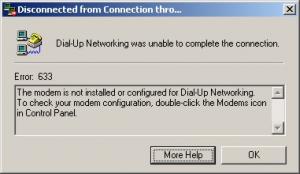
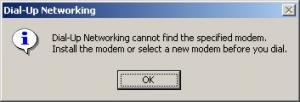
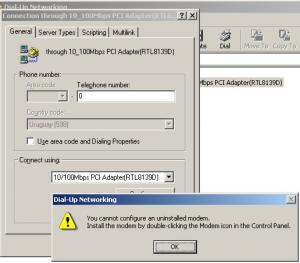
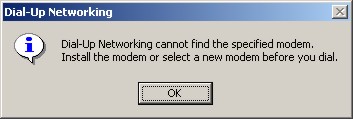
  1. About your RASPPPOE problem, try this: After installing 98SE2ME, replace these files from %windir%\SYSTEM : Replace these files in small groups, for example start with: NDSWAN16.DLL NDSWAN32.DLL if that doesn't work, then replace: RASAPI16.DLL RASAPI32.DLL if that doesn't work, then replace: RNAUI.DLL and only after that: NETAPI.DLL NETAPI32.DLL NETDI.DLL NETOS.DLL Reboot normal back into Windows. See if that fixes your DSL modem problem, and then please post here your findings. If that is the case, and those files are the "culprit", please let me know so I can remove them from 98SE2ME. About links to "my documents", "my networks places", "my computer" not working after installing option 3: I need more details: what language is your OS? Hello MDGx, thank you very much for your reply. I replaced the files you said, under pure DOS, but the problem continues. I'm sending a few screen captures for you. My OS is Win98SE English version + SP2.0 + 98SE2ME Tihiy package NOT installed. Thank you.

  2. Hi Gape, congratulations for your excellent work! What about ADSL connection support? I think it's very important now. Greetings from Uruguay...
  3. Hello, 98SE2ME is really fantastic. Thanks. But I have 2 litlle problems with it, the first (more important) is that after 98SE2ME installation I can't use RasPPPOE (software to connect to adsl using dial-up standard window). It doesn't recognize the "pseudo modem driver" installed. Desinstalling or reinstalling doesn't helps. Second (not very important) is that the links to "my documents", "my networks places", "my computer", etc. in windows explorer doesn't works at all (option 3 installed). Thanks in advance and congratulations for your work

Account

Navigation

Configure browser push notifications

Chrome (Android)
  1. Tap the lock icon next to the address bar.
  2. Tap Permissions → Notifications.
  3. Adjust your preference.
Chrome (Desktop)
  1. Click the padlock icon in the address bar.
  2. Select Site settings.
  3. Find Notifications and adjust your preference.