-
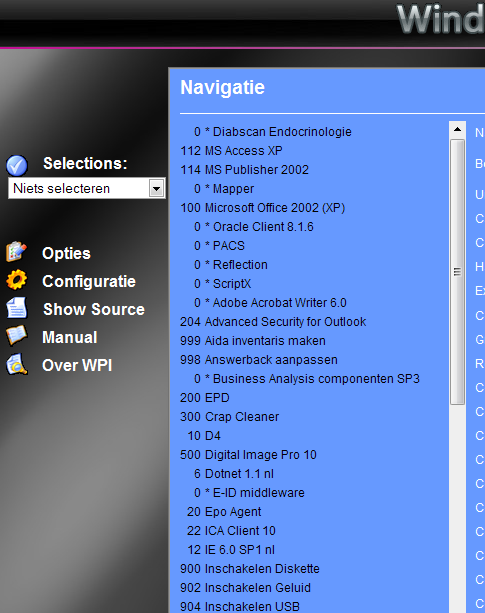
Glossy Is that not a default skin?
-
see screenshot in attachment
-
no one can help me with this?
-
I would like to check if the dotnet 1.1 , 2.1 and 3.5 are installed and enable them when they are not installed. Same for JRE 1.6 I also need a script to enable them when I install other software that needs them. Is that possible?
-
That is not the configuration window (where all the applications are in a list on the left...) And there is no category order there, just a (in my case long) list...
-
how does the sort order works in the config screen? I want it to be alfabetical. Is there a way to resort it?
-
Hi, I like the function of this tool, but it asks a lot of effort to make it work. Is there no one who has a simple exe/zip that can be slipstreamed and just works with most of the oem bioses? (like the driverpacks etc...)
-
I could do this with IVT bluesoleil and an external bluetooth dongle, but the software does not seem to work with the build in bleutooth. I would like to use the windows XP drivers, but there is no option to auto accept. maybe someone has an autoit script for this?
-
that is exactly what I use now. With some options to make it work from a networkshare. I would need the same for office, but can not find a reg value to check.
-
does the tool checks if the update is allready installed? And can I use it for office updates? edit: seems pretty useless. I can do the same with a bat file...
-
you can use http://wud.jcarle.com/ to download them all. A script can be written to install them. Something like: FOR /F %%I IN (*.exe) DO start /wait /Dy: %%I /Q Only problem here: It will install all the updates, even when they are allready installed. You can make a custum bat file: ECHO WindowsXP-KB929969-x86-NLD.exe REG QUERY "HKEY_LOCAL_MACHINE\SOFTWARE\Microsoft\Updates\Windows XP\SP3\KB929969" > nul 2>&1 IF %ERRORLEVEL% EQU 0 ( ECHO is allready installed ) ELSE ( ECHO Installing... WindowsXP-KB929969-x86-NLD.exe /quiet /norestart SET /A NUMOFUPDATES+=1 ECHO Installation complete ) But than you have to do this for every update. And not all the updates have the same way of installing. (I have a complete script, I guess..) An other option is the autopatcher (www.autopatcher.com) good luck
-
Guess that is the only way :-) I found some usefull information here: http://www.majorgeeks.com/page.php?id=12
-
Than I have 256 mb ram in backup :-) the VB scripts are nice, but I more prefer the bat files. thx for the tips
-
getting more ram is a good option. But I can not upgrade my CPU :-) (laptop) (now let's have a look if there is space left for extra ram) edit: ****, no more place for extra ram... :s
-
thx, But that is not what I needed :-) I have my own reg file for that. I only want to disable services temporarely and stop processes that take too much memory.