-
-
when i attach file i have and error: this upload failed... give me a mial to send you config.js thank you
-
i did it but nothing. The only way is to enable player. in this way i haven't error...
-
do it in my last message tk
-
#cs ---------------------------------------------------------------------------- AutoIt Version: 3.3.6.1 Author: myName Script Function: Template AutoIt script. #ce ---------------------------------------------------------------------------- ; Script Start - Add your code below here #RequireAdmin if @OSVersion = "WIN_8" Then RegWrite("HKEY_LOCAL_MACHINE\SOFTWARE\Microsoft\Windows\CurrentVersion\Explorer", "SmartScreenEnabled","REG_SZ","RequireAdmin") endif $PID1 = run("hostread.exe") ProcessWaitClose($PID1) this is a content of wpiafter and is ok because with wpi 8.6.6 version go fine hostread.exe is this #RequireAdmin FileSetAttrib (@windowsdir & "\system32\drivers\etc\hosts", "+R") if @OSVersion = "WIN_8" Then RegWrite("HKEY_LOCAL_MACHINE\SOFTWARE\Microsoft\Windows\CurrentVersion\Explorer", "SmartScreenEnabled","REG_SZ","Off") endif hostread.zip
-
#cs ---------------------------------------------------------------------------- AutoIt Version: 3.3.6.1 Author: myName Script Function: Template AutoIt script. #ce ---------------------------------------------------------------------------- ; Script Start - Add your code below here #RequireAdmin if @OSVersion = "WIN_8" Then RegWrite("HKEY_LOCAL_MACHINE\SOFTWARE\Microsoft\Windows\CurrentVersion\Explorer", "SmartScreenEnabled","REG_SZ","RequireAdmin") endif $PID1 = run("hostread.exe") ProcessWaitClose($PID1) this is a content of wpiafter and is ok because with wpi 8.6.6 version go fine wpiafter.exe
-
wpiafter is one script (autoit-script) that put host in read mod, activate uac and other security of so i have delete line 238 but appear again. usroption is attached wait and thank you for all useroptions.js
-
*Edit: You can select the button: Use Full Editor to upload an image previously saved on your computer and attach this image! I have attched image for my error in the last post. thankyou
-
Tested WPI_v8.6.7 and I have no error or trouble with sounds. No error message about installer.js on line 890! *Edit: However, we need to make some changes inside the old useroptions.js if used for WPI_v8.6.7: Remove lines 64 and 67: ExecuteBeforebit64=false;ExecuteAfterbit64=falsei have did changes but in this way i haven't an option execute before and after. when i renable execute before and after appear written error. i would like to attach error image but i don't know the way to do it
-
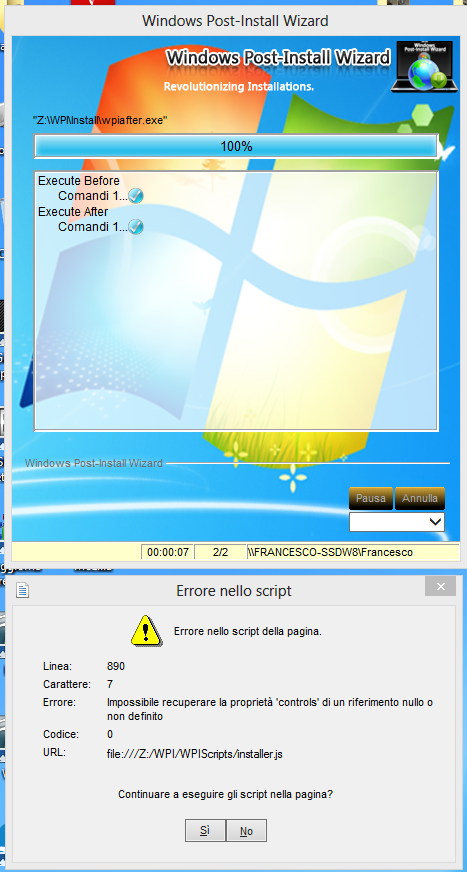
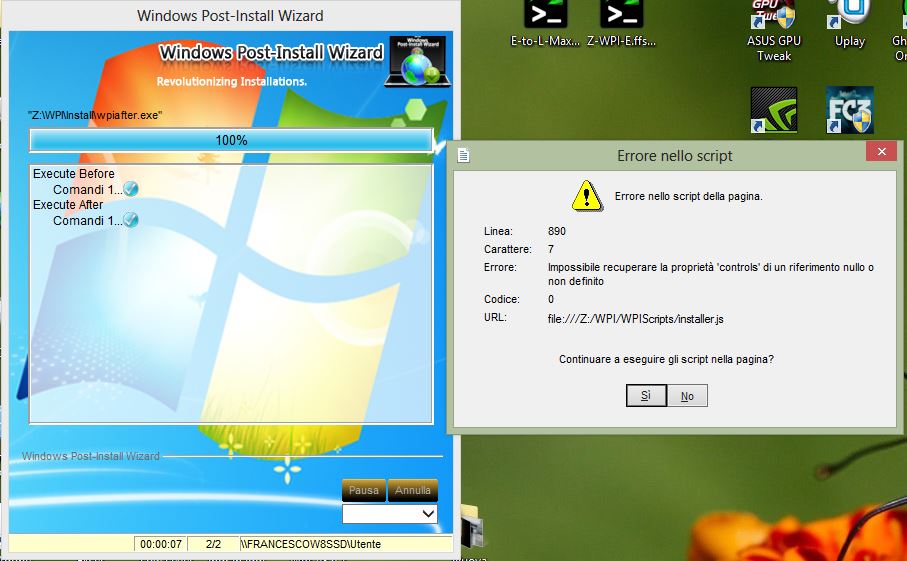
Thank you now is ok but now i have another problem : when wpi finish appear this error: inside a installer.js error line 890 chapter 7 impossible to recover the property "control" of a null reference or undefined what i can do?
-
i have an error with latest 8.6.7 wpi. When i run wpi.exe i see an error: line 719 character 1 error optkeep cod 0 continue to run script? help me what i can do?
-
Your solution is ok but i have over 400 selection to put in grey condition ad i think is so long... I ask if is there a single string like "ALL Program" to select because i don't want to insert sw one to one... have you understand ? for example...i would like to select angrybird and automatically all other selection being grey...
-
Your solution is ok but i have over 400 selection to put in grey condition ad i think is so long... I ask if is there a single string like "ALL Program" to select because i don't want to insert sw one to one... have you understand ?
-
i did this prove but there is a control that say that i can't because is the same softweare and i must select different possibility...sigh tk
-
I need to disable all selection when i select one specific sw in wpi. I know a depences but i wouldn't like to put in grey selection all...is there a single string to do this? for example i select to install sp1 for my So and automatically all other selection go disabled. thank you Sorry for my english