



Skip to content
View in the app

A better way to browse. Learn more.

MSFN

A full-screen app on your home screen with push notifications, badges and more.

To install this app on iOS and iPadOS
  1. Tap the Share icon in Safari
  2. Scroll the menu and tap Add to Home Screen.
  3. Tap Add in the top-right corner.
To install this app on Android
  1. Tap the 3-dot menu (⋮) in the top-right corner of the browser.
  2. Tap Add to Home screen or Install app.
  3. Confirm by tapping Install.

ALLMAC4

Member
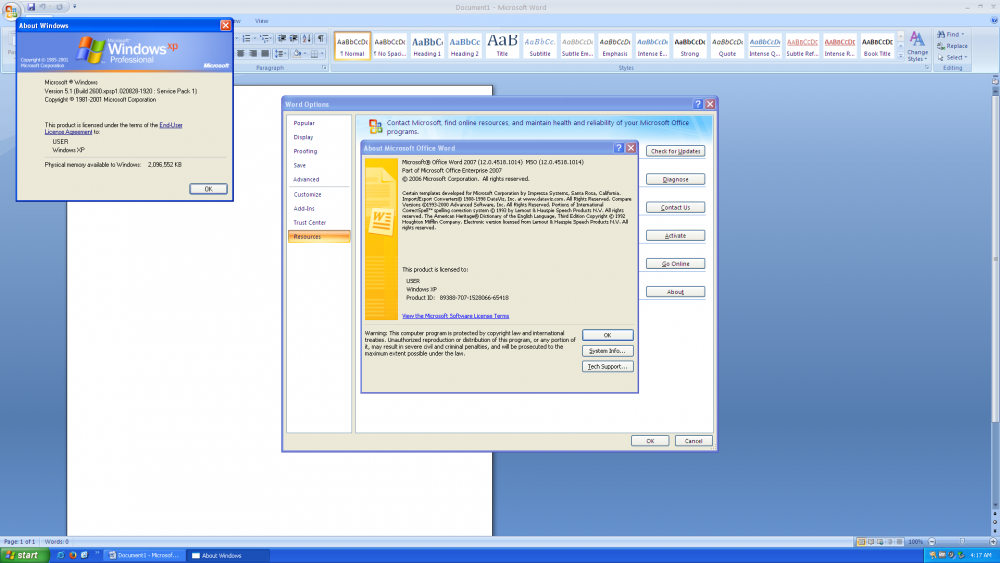
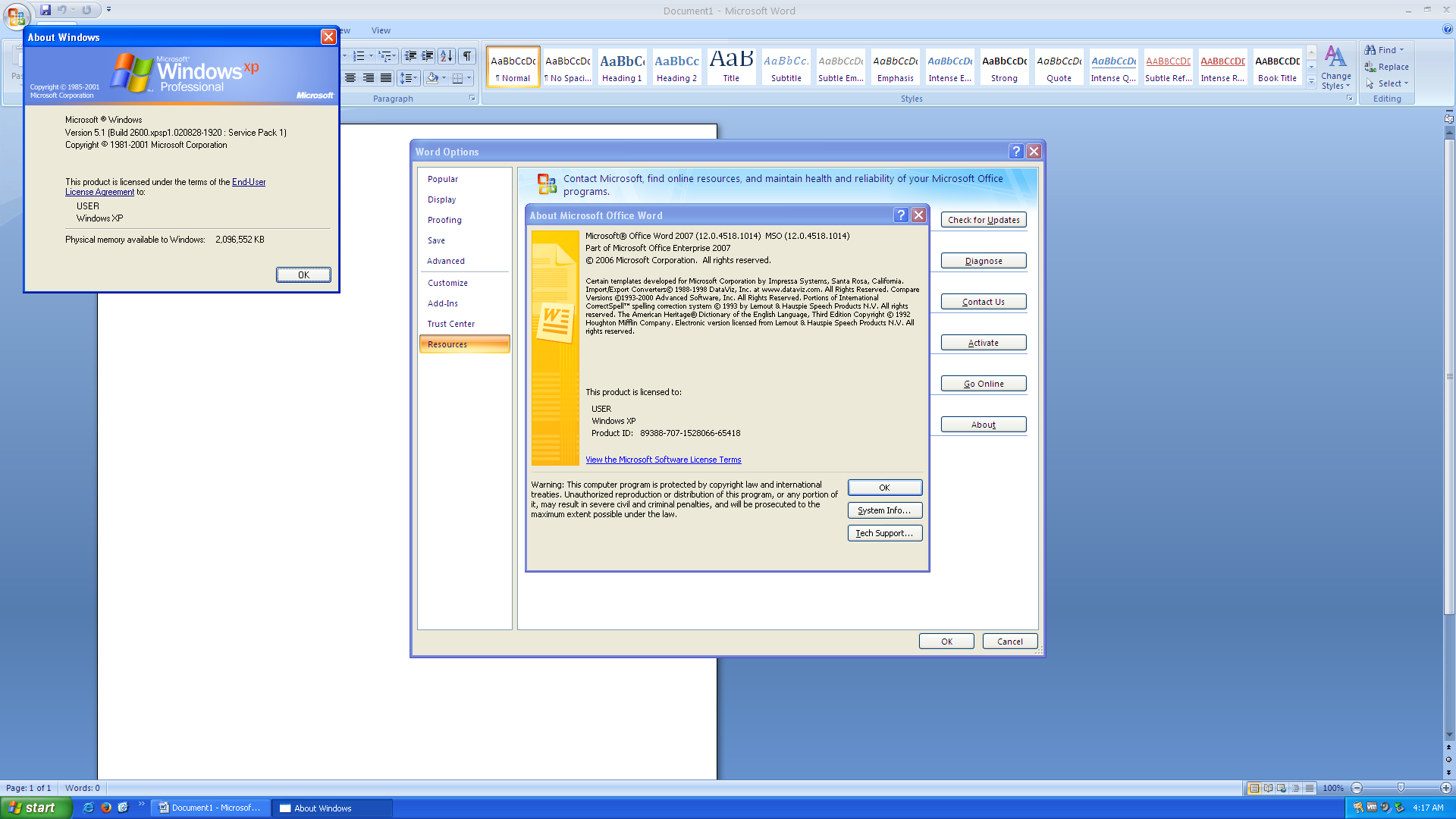
  1. Office 2007 officially only supports Windows XP SP2 or higher, but there is a way to run it on Windows XP SP1. 1.Install Service Pack 2 2.Install Office 2007 3.Uninstall Service Pack 2 Then you can run Office 2007 on Windows XP SP1
  2. 1.How to run IE2 on Windows 2000? 2.How to run IE6 SP2 on Windows 95?
  3. Can 8.5GB DVDs work with Windows 2000?
  4. 1.Will Office 2010 Install on Windows Me? 2.Will Office 2000 Install on Windows 7?
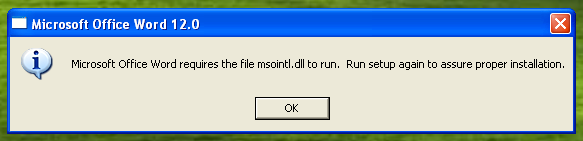
  5. When I install Office 2007 on Windows XP SP1 and run Word, I get this error. Any workaround?
  6. 1.How do I install Office 4.2 on Windows 98? 2.How do I install Office 2010 on Windows 2000?
  7. Windows 2000 SP4 has the same symptoms
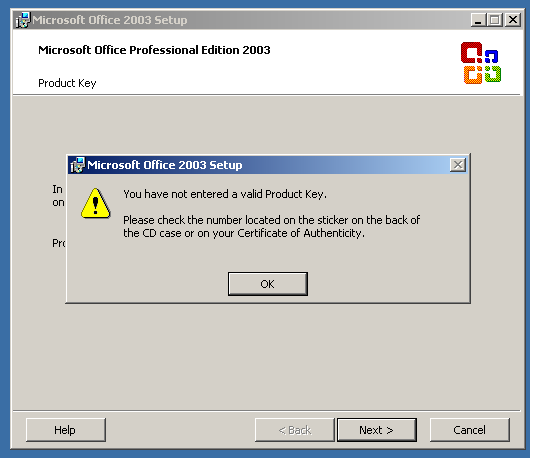
  8. When I enter the Office 2003 key, I get an error as shown in the picture above. You also entered the key correctly. The operating system is Windows XP SP2.
Account

Navigation

Configure browser push notifications

Chrome (Android)
  1. Tap the lock icon next to the address bar.
  2. Tap Permissions → Notifications.
  3. Adjust your preference.
Chrome (Desktop)
  1. Click the padlock icon in the address bar.
  2. Select Site settings.
  3. Find Notifications and adjust your preference.