



Skip to content
View in the app

A better way to browse. Learn more.

MSFN

A full-screen app on your home screen with push notifications, badges and more.

To install this app on iOS and iPadOS
  1. Tap the Share icon in Safari
  2. Scroll the menu and tap Add to Home Screen.
  3. Tap Add in the top-right corner.
To install this app on Android
  1. Tap the 3-dot menu (⋮) in the top-right corner of the browser.
  2. Tap Add to Home screen or Install app.
  3. Confirm by tapping Install.

mooble

Member
  • Joined

  • Last visited

  • Country

    United States
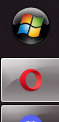
  1. in january i swapped my ssd. i cloned all of the data from the old one to the new one, nothing was changed in between that. however, on my main monitor, the start orb is missing and all that is left is a space that is about as wide as half of the start orb. i havent been able to figure out how to fix it at all. ive reinstalled about 3 times now and nothing has been fixed in between those reinstalls. (first image is main monitor, second image is from my second monitor for reference.
Account

Navigation

Configure browser push notifications

Chrome (Android)
  1. Tap the lock icon next to the address bar.
  2. Tap Permissions → Notifications.
  3. Adjust your preference.
Chrome (Desktop)
  1. Click the padlock icon in the address bar.
  2. Select Site settings.
  3. Find Notifications and adjust your preference.