-
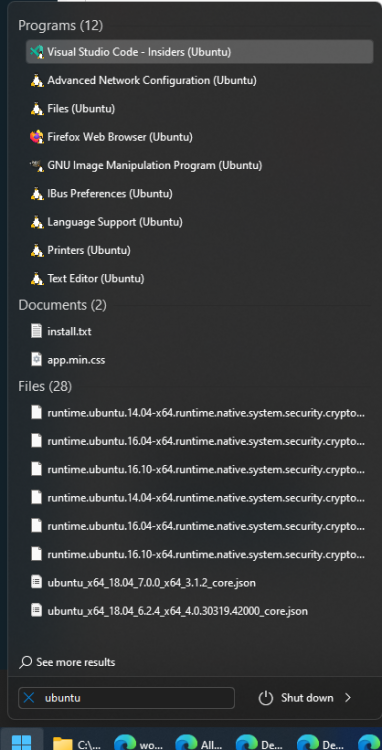
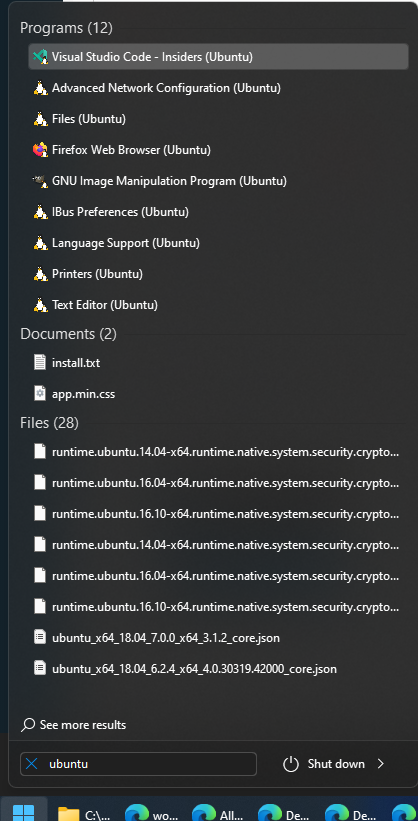
Hello! Gotta say, this app is a game-changer! 9000% better than the stock Windows 11 taskbar and start menu! I can't express enough how much this thing helps! Back to the issue at hand: When I try to launch my WSL Ubuntu instance from the start menu, I type "ubuntu". In the windows 10 stock start menu, I could reliably type "ubuntu" and press enter to launch it. Startallback doesn't appear to be sorting the search results in any recognizable order - in fact the exact match doesn't show up (without ! Please see the attached screenshot. I looked through the setting is StartAllBack Could the sort order by fixed so that it is deterministic and prioritizes exact matches, then matches that begin with the search term? Sort MUST be explicitly defined such that there is NO ambiguity - duplicate values must be sorted by something, falling back to last use or creation date or maybe the full path, guaranteeing that we know it will sort in a predictable manner every time (This isn't specific to this app - it's something one should always do when returning search results) IIRC Windows 10 had a similar issue in the early releases - the order of results was pretty bad. Is this a Windows or an SAB issue? If it's windows... can SAB fix it? Thanks so much!