Skip to content
View in the app

A better way to browse. Learn more.

MSFN

A full-screen app on your home screen with push notifications, badges and more.

To install this app on iOS and iPadOS
  1. Tap the Share icon in Safari
  2. Scroll the menu and tap Add to Home Screen.
  3. Tap Add in the top-right corner.
To install this app on Android
  1. Tap the 3-dot menu (⋮) in the top-right corner of the browser.
  2. Tap Add to Home screen or Install app.
  3. Confirm by tapping Install.

VistaFAN121

Member
  • Joined

  • Last visited

  • Country

    United Kingdom
  1. Hey, does anyone have any idea what the latest fully supported Windows Vista laptop is? I tried looking for something Ivy Bridge based but I can't seem to find Vista drivers for things like the iGPU. Chipset, etc. Thanks for any help
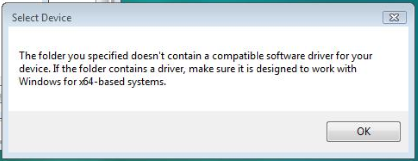
  2. It doesn't work for me i just get this when selected the inf
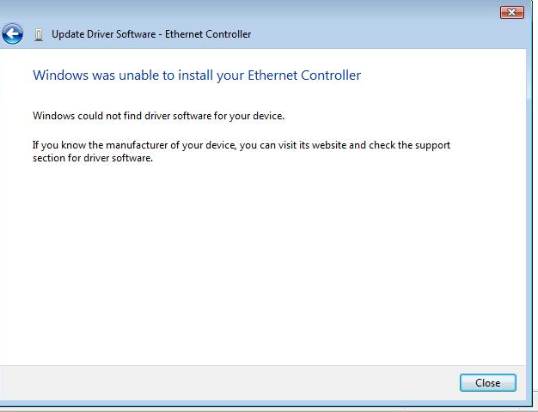
  3. Hey, I've just installed vista on my rig but I'm having some trouble finding/modding the Intel(R) Ethernet Connection I217-LM Ethernet drivers. Does anyone know if any modded or official Intel versions exist? Thanks
  4. Hello guys, I would like to use my main rig on windows vista but I have an rx580 I just wanted to know if I could mod the drivers or if there are any custom drivers to make the rx580 work on windows vista thanks

Account

Navigation

Configure browser push notifications

Chrome (Android)
  1. Tap the lock icon next to the address bar.
  2. Tap Permissions → Notifications.
  3. Adjust your preference.
Chrome (Desktop)
  1. Click the padlock icon in the address bar.
  2. Select Site settings.
  3. Find Notifications and adjust your preference.