



Skip to content
View in the app

A better way to browse. Learn more.

MSFN

A full-screen app on your home screen with push notifications, badges and more.

To install this app on iOS and iPadOS
  1. Tap the Share icon in Safari
  2. Scroll the menu and tap Add to Home Screen.
  3. Tap Add in the top-right corner.
To install this app on Android
  1. Tap the 3-dot menu (⋮) in the top-right corner of the browser.
  2. Tap Add to Home screen or Install app.
  3. Confirm by tapping Install.

cooldude783

Member
  • Joined

  • Last visited

  • Country

    United States
  1. If there is any other information I need to provide, just let me know.
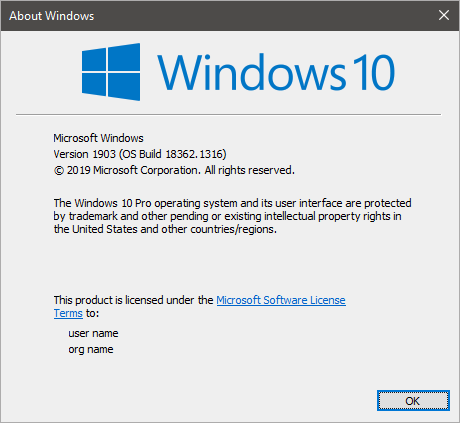
  2. After installing Aero Glass multiple times on versions 1.5.13 and 1.5.12 and after multiple restarts I could never get the program to function properly. It only added a window border to every window. After downloading and extracting the GUI tool and configuring it, that didn't work either. I'm obviously doing something wrong but I couldn't figure out what it was. I have put my version information below aswell.

Account

Navigation

Configure browser push notifications

Chrome (Android)
  1. Tap the lock icon next to the address bar.
  2. Tap Permissions → Notifications.
  3. Adjust your preference.
Chrome (Desktop)
  1. Click the padlock icon in the address bar.
  2. Select Site settings.
  3. Find Notifications and adjust your preference.
