-
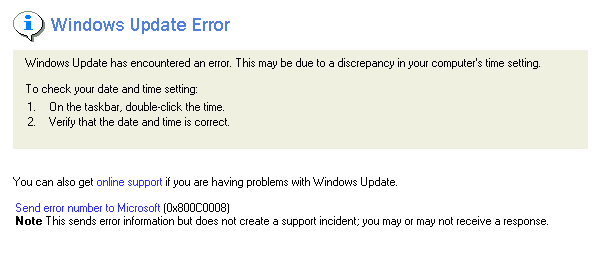
Wanted to let you know. I download another copy of 98SE 2 and reinstalled it. Now the Windows Update works and it is listed under Add/Remove programs. I must have gotten a bad download before. Thanks to all of you. It is really nice to know people care THANKS AGAIN
-
Thanks for all the help. Maybe something didn't install right. The uninstall for Unofficial xxxxxxxxxx is not list in the Add/Remove or in any unstall program I have. I can get Windows Update site to work?, but if I reboot then it doesn't work again. I found this link that works, so I saved in my favorites. https__V4.Windowsupdate.microsoft.com.url
-
I am back, Had to take the wife out. No I didn't change anything, just installed 98SE 2. Her is the message
-
Hi, I installed SP2 yesterday tryiny to fix a problem with my comuter seing a Orange Micro USB2 card. Now when I go to Window Update I get a error message telling me that there is error in my computer time setting. The time and date are correct. Any ideas. Thanks in advance RJE
-
Thank you, I went to the folder you suggested "Precopy" and SP1 is not in there. All that is there are Base4,base5, base6, and Catalog3. I also download the latest version from Orange.
-
I installed a Orange Micro USB2 card. The install went OK. All usb items work. The install said to look in Device Manager to confirm install. It said I should see the Orange Micro Card USB2 and Enhanced NEC USB Open Host Controller. I have 98Se with all updates. I don't see these items. I also get the yellow question mark in "Other Devices - PCI Universal Serial Bus" It says drivers for this device are not installed (code 28). If I click reinstall drivers it find nothing Would installing 98SPv1.62 help? Don't know what to do next. Thanks so much in advance RJE