Skip to content
View in the app

A better way to browse. Learn more.

MSFN

A full-screen app on your home screen with push notifications, badges and more.

To install this app on iOS and iPadOS
  1. Tap the Share icon in Safari
  2. Scroll the menu and tap Add to Home Screen.
  3. Tap Add in the top-right corner.
To install this app on Android
  1. Tap the 3-dot menu (⋮) in the top-right corner of the browser.
  2. Tap Add to Home screen or Install app.
  3. Confirm by tapping Install.

AeonG

Member
  • Joined

  • Last visited

  • Country

    United States
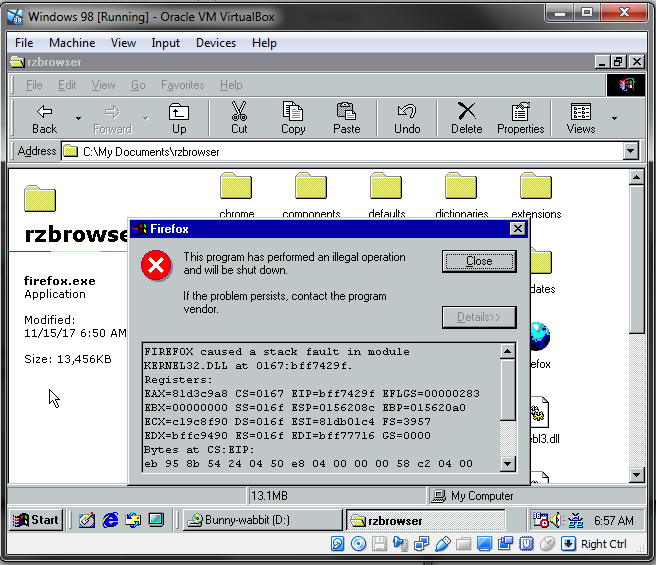
  1. I tried the modified version of Retrozilla on a non patched Windows 98 installation on Virtual Machine and I still got the error. I guess it just wont run on Windows 98?
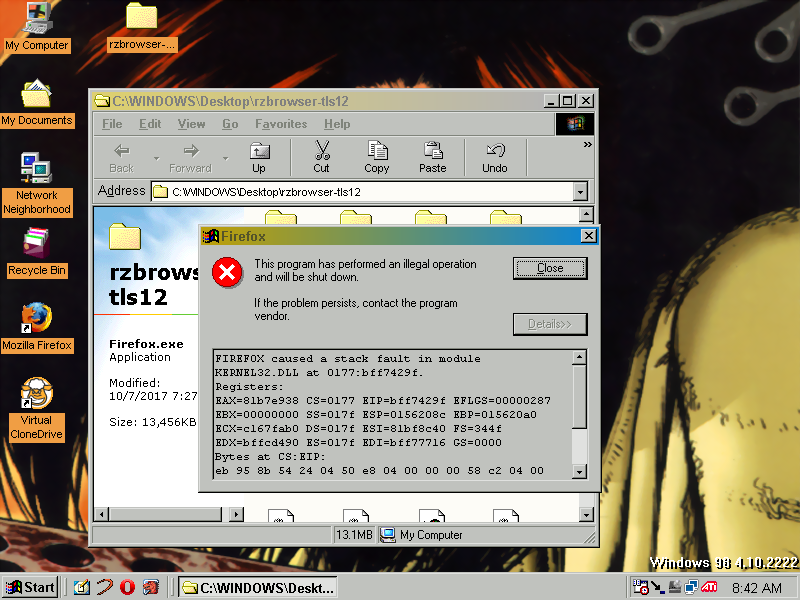
  2. Bad news I'm afraid I gotta sleep soon, but to the best of my knowledge, the only oddities I know of is this (obviously) is not being ran from a virtual machine, I installed all the updates from the 2007 98se autopatcher (I couldn't get access to the newer 2008 autopatch for 98se, I'll try again soon if it means anything), the hard drive is big, KernelEX is not installed, and I'm using an XP era video card. Sorry, I'm not as experienced with this stuff as you guys are, I hope I'm being some kind of help with this information. If you need me to find anything else to help, just ask.

  3. THANK YOU SO MUCH FOR THIS! It's absolutely wonderful to have a "newer" web browser I can use on Windows 98 for fun. Sorry if I somehow missed this answer, but will this browser ever be able to view newer SSL locked websites? It would be great to have greater access to the internet on my old machine, even if the webpages don't display correctly.

Account

Navigation

Configure browser push notifications

Chrome (Android)
  1. Tap the lock icon next to the address bar.
  2. Tap Permissions → Notifications.
  3. Adjust your preference.
Chrome (Desktop)
  1. Click the padlock icon in the address bar.
  2. Select Site settings.
  3. Find Notifications and adjust your preference.