Skip to content
View in the app

A better way to browse. Learn more.

MSFN

A full-screen app on your home screen with push notifications, badges and more.

To install this app on iOS and iPadOS
  1. Tap the Share icon in Safari
  2. Scroll the menu and tap Add to Home Screen.
  3. Tap Add in the top-right corner.
To install this app on Android
  1. Tap the 3-dot menu (⋮) in the top-right corner of the browser.
  2. Tap Add to Home screen or Install app.
  3. Confirm by tapping Install.

Cyberurmel

Member
  • Joined

  • Last visited

  • Country

    Germany
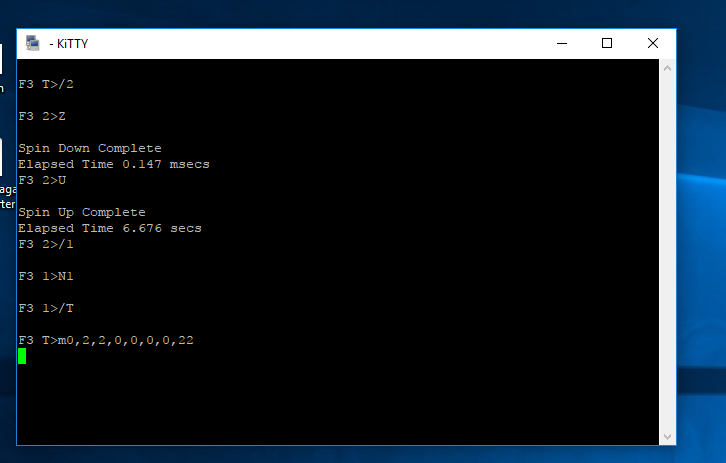
  1. Hi Jaclaz, now i ran in problems. I did the procedure right in the tutorial ..ok one thing i didnt understood is the step i didnt disconnecte anything an set only the /T order. All seems to work fine exept after the last input ..nothing happens anymore since 20 minutes now. I interrupt the motor ..and i heard it also that nothing happens.. so i think all was right. What can i do now? I let it on power now Thanks for help Regards update 1 ': i couldnt wait an did it again with a break with at least 60 seconds ..and???.....taddaaaa Max Wr Retries = 00, Max Rd Retries = 00, Max ECC T-Level = 00, Max Certify Rewr ite Retries = 0000 User Partition Format 5% complete, Zone 00, Pass 00, LBA 00008DED, ErrCode 00000080, Elapsed Time 0 mins 10 secs User Partition Format Successful - Elapsed Time 0 mins 10 secs :))) so i think first step is done .. if now the data is accessable i am happy update 2: data backuped and firmware update done - all is working fine .. and i am happy .. thanks a lot guys for help Cyb

  2. Hi Jaclaz , thanks - i will read that content .. also i already purchased a usb stick to navigate in the HDD. (a recommended one sure) Hope i will get luck and it will let me have access to the data soon greetings Cyber
  3. Hi all, i think i have now also this d*** bug with my 500 GB Seagate 7200.11 . As i recognized a blue screen (pc was on power the night) next day no sata detection for this drive. But i hear its working as normal with power. Checked all with other pc and so on. Same behaviour. So last way for me is to check the BSY issue. I would purchase such adapters like you said.. but why are the pictures are not seen anymore for me?? It would be a great help as i am not really doing often such thinks. So do you think its worth and someone can help me ? Thanks and Regards

Account

Navigation

Configure browser push notifications

Chrome (Android)
  1. Tap the lock icon next to the address bar.
  2. Tap Permissions → Notifications.
  3. Adjust your preference.
Chrome (Desktop)
  1. Click the padlock icon in the address bar.
  2. Select Site settings.
  3. Find Notifications and adjust your preference.