Skip to content
View in the app

A better way to browse. Learn more.

MSFN

A full-screen app on your home screen with push notifications, badges and more.

To install this app on iOS and iPadOS
  1. Tap the Share icon in Safari
  2. Scroll the menu and tap Add to Home Screen.
  3. Tap Add in the top-right corner.
To install this app on Android
  1. Tap the 3-dot menu (⋮) in the top-right corner of the browser.
  2. Tap Add to Home screen or Install app.
  3. Confirm by tapping Install.

Holmium

Member
  • Joined

  • Last visited

  • Country

    New Zealand

Everything posted by Holmium

  1. Thanks, all sorted now. The guide has guided me.
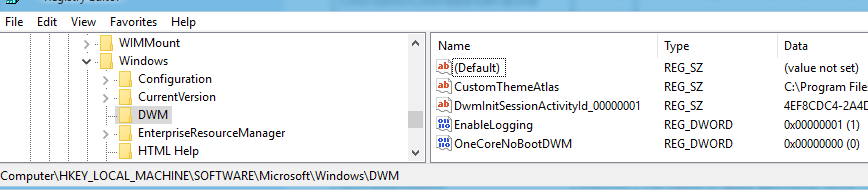
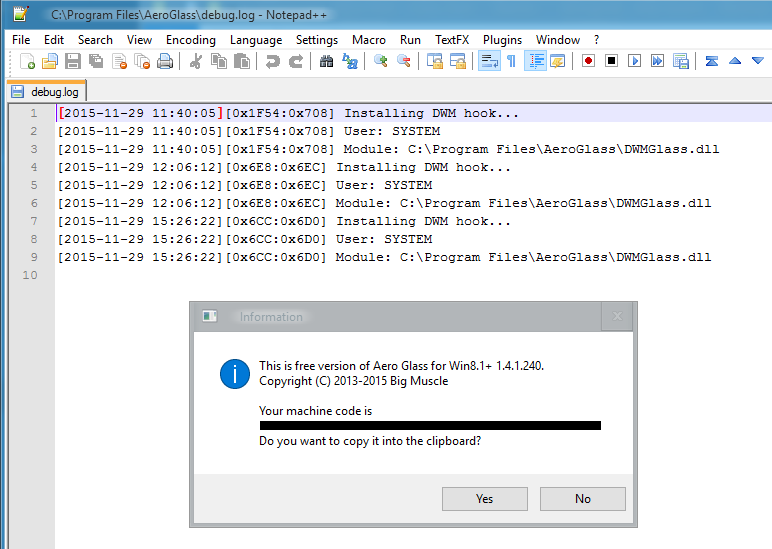
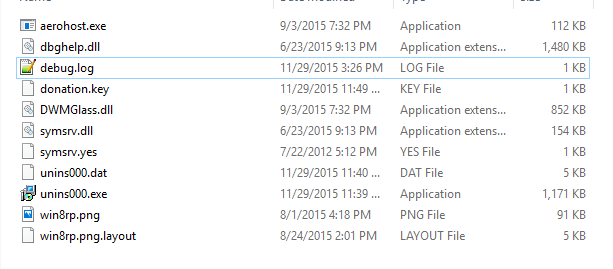
  2. Hi there, I've only been using Windows 10 for a few days but hated the lack of an aero interface. After searching, I found your product and the aero side of things is working well and looking great! The only issue is that it doesn't seem to recognise the donation key and when I turn on logging in the registry, it doesn't seem to log anything extra? I've attached two files to give you an idea of where I am at. Cheers

Account

Navigation

Configure browser push notifications

Chrome (Android)
  1. Tap the lock icon next to the address bar.
  2. Tap Permissions → Notifications.
  3. Adjust your preference.
Chrome (Desktop)
  1. Click the padlock icon in the address bar.
  2. Select Site settings.
  3. Find Notifications and adjust your preference.