



Skip to content
View in the app

A better way to browse. Learn more.

MSFN

A full-screen app on your home screen with push notifications, badges and more.

To install this app on iOS and iPadOS
  1. Tap the Share icon in Safari
  2. Scroll the menu and tap Add to Home Screen.
  3. Tap Add in the top-right corner.
To install this app on Android
  1. Tap the 3-dot menu (⋮) in the top-right corner of the browser.
  2. Tap Add to Home screen or Install app.
  3. Confirm by tapping Install.

steamgamer

Member
  • Joined

  • Last visited

  • Country

    United States
  1. Thank you. It did work and the update was successful. Although the program is still in the programs and features list, there is no more aero glass.
  2. Ok, but I have to wait though. My brother is using my pc, and thank you for your suggestion
  3. I'm considering of reinstalling Aero Glass, hoping I will get that file back. I should have done a manual restart to the system when it asked me to restart immediately.
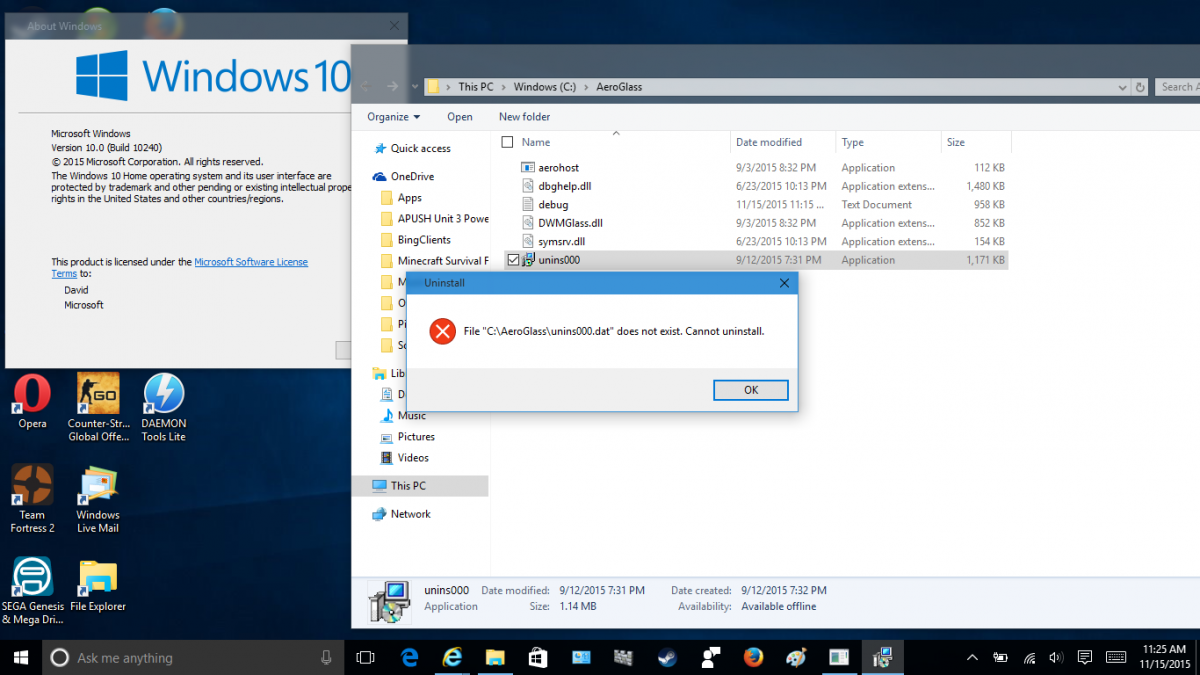
  4. I attempted to uninstall Aero Glass for Windows 10 and then it asks me to restart my computer. I did, but the os did not load, so I did a startup recovery and it thankfully brought Windows 10 back to what it was. Unfortunately, the recovery seemed to remove the file "C:\Aero Glass\unins000.dat" because I can't uninstall Aero Glass. It said [The file "C:\Aero Glass\unins000.dat" does not exist. Cannot install.", and I don't think this version of Aero Glass is compatible with the "November Update". If anyone has a solution, please help!! I will post my screenshots.
Account

Navigation

Configure browser push notifications

Chrome (Android)
  1. Tap the lock icon next to the address bar.
  2. Tap Permissions → Notifications.
  3. Adjust your preference.
Chrome (Desktop)
  1. Click the padlock icon in the address bar.
  2. Select Site settings.
  3. Find Notifications and adjust your preference.