Skip to content
View in the app

A better way to browse. Learn more.

MSFN

A full-screen app on your home screen with push notifications, badges and more.

To install this app on iOS and iPadOS
  1. Tap the Share icon in Safari
  2. Scroll the menu and tap Add to Home Screen.
  3. Tap Add in the top-right corner.
To install this app on Android
  1. Tap the 3-dot menu (⋮) in the top-right corner of the browser.
  2. Tap Add to Home screen or Install app.
  3. Confirm by tapping Install.

highsmith5

Member
  • Joined

  • Last visited

  • Country

    Malaysia

Everything posted by highsmith5

  1. I encounter a problem where "this service is not supposed to be executed by the user" dialog box pop up after login. Before this I had no problem on installing it (2 times), but since my HDD fail, I had to to buy new one and begin everything from below. I tried it to edit the reg key on appnit dll manually, but after that my window crash and had to automatic repair. There were a dialog box pop up too mentioning about "library" or something like that. Any idea on how to fix this? oh yes, pls dont reply " Read this, http://www.glass8.eu/guide.html "

  2. any amount will do? and how do donation key work?
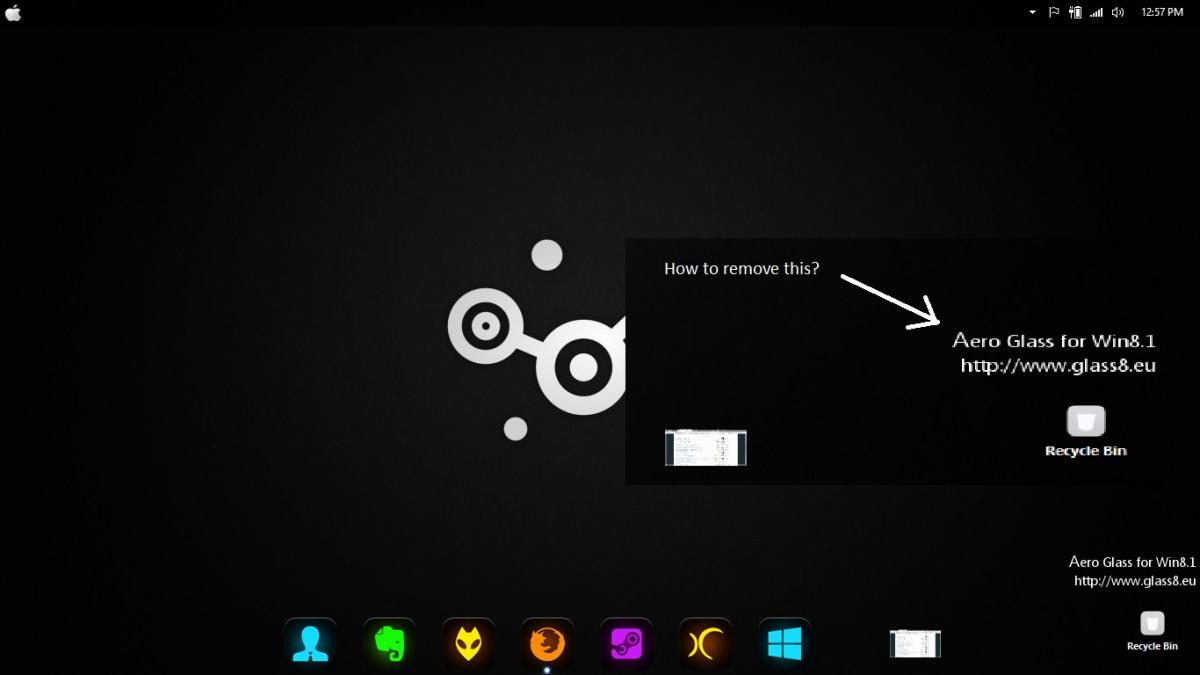
  3. Hello guys, I want to remove this thing, is there any way to do it?

Account

Navigation

Configure browser push notifications

Chrome (Android)
  1. Tap the lock icon next to the address bar.
  2. Tap Permissions → Notifications.
  3. Adjust your preference.
Chrome (Desktop)
  1. Click the padlock icon in the address bar.
  2. Select Site settings.
  3. Find Notifications and adjust your preference.