Everything posted by °«Lørd ߀d££ørd»
-
I learn about memory and resources: http://aumha.org/win4/a/resource.php Yesterday I install almost all Killer Replacement from MDGX ( except WMP9 and IE SP2 tweaks ) and my Win98 obtain more stability and performance, but just a little. Now I try to test using 98Lite and see what happens. Thanks
-
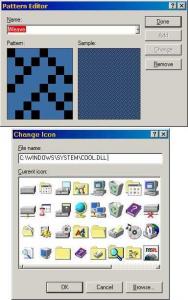
Hi, first thanks a Gape for thir great work. I have Win98, 2K and XP on my machine, and like change the icons of my Win98 using X-SETUP ( enable 3D Plus! icons for folders ) and E-ICONS ( change desktop icons from COOL.DLL ). Personally, I think this a better choice than Win2K theme and better differentiate from other s.o. So I ask myself if is possible add this icons theme and a new desktop pattern ( Weave ) from 2K for this Service Pack. Thanks
-
Yea, MDGX is my favorite site for tweak my Win9x ,2K & XP. Now I reading their article: KILLER REPLACEMENTS But I don't know how much this replacement can help to solve some "endemic" Win98 problems or gain of perfomance. Thanks
-
Hi I have a Win98SE ( 4.10.2222 ), P4 1.3GHz and 512RDRAM Recently I install Win98SE, all updates and the Unofficial Win98 SE Service Pack. But when I load some aplications ( in special "skinned" ones like BSPlayer, Imesh Light or Ad-Aware SE ), Win98 lost their resources fast, first a graphics glitches appears and later all sytem collapses. Exist a solution for this problem? Thanks