Skip to content
View in the app

A better way to browse. Learn more.

MSFN

A full-screen app on your home screen with push notifications, badges and more.

To install this app on iOS and iPadOS
  1. Tap the Share icon in Safari
  2. Scroll the menu and tap Add to Home Screen.
  3. Tap Add in the top-right corner.
To install this app on Android
  1. Tap the 3-dot menu (⋮) in the top-right corner of the browser.
  2. Tap Add to Home screen or Install app.
  3. Confirm by tapping Install.

tmontney

Member
  • Joined

  • Last visited

  • Country

    United States
  1. Program is now available.
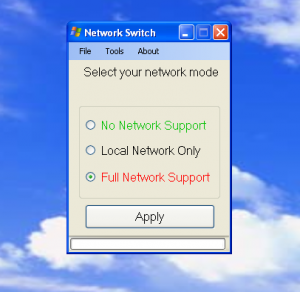
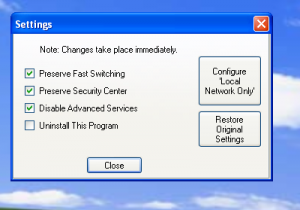
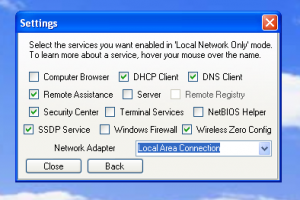
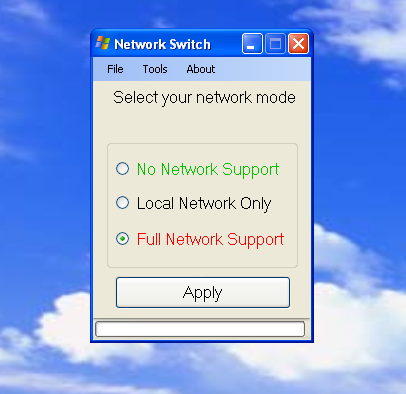
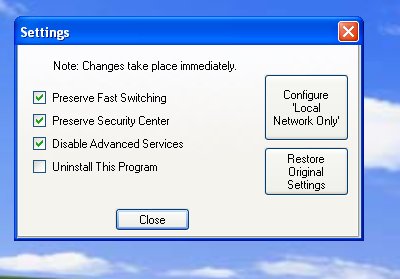
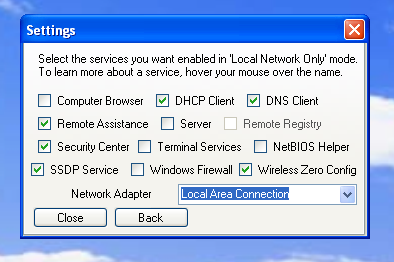
  2. I've been working on a small utility for Windows XP for a few weeks. It's been quite a lot more involved than I imagined. I thought it would cool to quickly switch between network states: no network, local only, and full network. No network will disable all networking services, ones you can control by services.msc. There's also an option to disable lower level ones (ones handled by the I/O Subsystem/you can't see them in services.msc). The program will also try to immediately stop services, if possible (although a reboot seems to be the best solution). Local only aims to offer LAN/WLAN connectivity, but prevent Internet connectivity. It keeps only certain services available, although you can customize them. (e.g. You want to preserve the ability to share files.) It also sets the appropriate TCP/IP settings (based off your previous settings). Full network is pretty obvious. Allows you to operate like normal. Program is now available. It's still unstable so please be careful! I've put safe guards to back things up, and make it easier to recover from failures. As of the initial release, I'm not aware of any major issues. Please let me know of any issues you encounter. Current version: 1.1.0.0 Download link: https://onedrive.live.com/redir?resid=672C300782573EC7!207&authkey=!AMWgAXyquLrxKO4&ithint=folder%2cexe Problems None as of right now.
  3. Might... be out of my scope As for the floppy option... I might be able to do that. Keeping hitting me with ideas. Where do you think would be a good idea to put it? Or just to have a program dedicated to doing floppy stuff? I'm thinking of making an unofficial service pack for XP. I don't know the status of previous OSes though. And the unofficial service pack could include official and unofficial updates, too.
  4. I have a strong affinity for the legacy OSes, since that's what I grew up using. I've been creating a tweaking utility for XP and above (registry tweaks and such). I'd really like to create something useful for the legacy operating systems. Does anyone have suggestions on what I should create? Even if it's outside my scope, I'm happy to learn.

Account

Navigation

Search

Search

Configure browser push notifications

Chrome (Android)
  1. Tap the lock icon next to the address bar.
  2. Tap Permissions → Notifications.
  3. Adjust your preference.
Chrome (Desktop)
  1. Click the padlock icon in the address bar.
  2. Select Site settings.
  3. Find Notifications and adjust your preference.