Everything posted by gius52
-
However I tried the "Lazesoft Recovery suite Home Edition", and the problem persists; moreover #14 22 November 2013, Kelsenellenelvian said: A "reinstall" of XP the way you tried to do it will not work... A "reinstall" attempts to reconfigure XP as the way it was configured NOT the way of the new disk that was setup. It is going to be likely that you will not be able to get into your "Old XP" as alot of the files and registry that was expected simply was not there for the setup to use. Thus rendering your installation flawed. Once a os has been nLited (Beyond simply adding a service pack) a reinstall or repair install is highly likely to simply fail". Sorry, but I didn't see a warning of danger if I tried to reinstall XP with NLite. However, tonight I wish You all to have a Merry Christmas! Bye - gius
-
Yeah, also what Ponch said (did you password protect that during Unattended Install?). And what jaclaz said. Yet, you say neither of the Accounts have (correction - "had") a Password? Inconceivable! What did you do to your install that prevents logon by a simple click-of-the-icon-on-Welcome? I really don't know, and could you say me why is inconceivable to have no password? What do you mean "problems"? Read the guide: http://diddy.boot-land.net/grub4dos/Grub4dos.htm Particularly this page: http://diddy.boot-land.net/grub4dos/files/install_windows.htm#windows1 and add grub4dos as an option in boot.ini. Then follow the instructions on: http://www.sherlock.reboot.pro/passpass-bypass-the-password/ jaclaz Thank you, but probably it's too difficult for me to follow the instructions; when I'll have more time, I'll try again. However, it seems to me, that if Winlite has the same options of XP, including the repair of a previous installation, probably we can say that it is a bug. gius
-
the PassPass WILL allow logging in to a Windows system without providing a password. <- the last character is a full stop or period. Did you try SPECIFICALLY that, not "those" or "other similar", that program grub4dos batch? And you cannot login without providing a password? Just for the record you can use to the same effect on Windows XP also WindowsGate or any other tool that similarly patches msv1_0.dll, but you were suggested to try that specific tool, NOT other ones. jaclaz Thank you Jaclaz! In fact I tried other tools, because I had problems using grub4dos. Could you help me explaining me how to use it? And I say to Ponch that gr is me (administrator) and ross is my wife and both of us had no password. gius
-
I had seriously mis-read/mis-understood the issue. If the problem is "cannot login to Windows XP", possibly one of the simpler approaches is logging in without password (and then create a new "normal" account), and hopefully a simple way is to use a USB stick with PassPass (yeah, it's a "plug"" ): http://www.msfn.org/board/topic/163190-passpass-bypass-the-password/ http://www.sherlock.reboot.pro/passpass-bypass-the-password/ jaclaz In the last days I tried those programs and other similar programs, but none of them could solve the problem. However I thank everyone answered to my question and hope someone can have other good ideas and tell me it. Perhaps the best thing is to erase the Windows folder and reinstall it and all the programs...sigh! gius
-
mail.txt Could you tell more by mail ?
-
Yes, I tried, but it is always the same thing. I think that probably I'll delete Windows folder and reinstall it. What do you think of that?
-
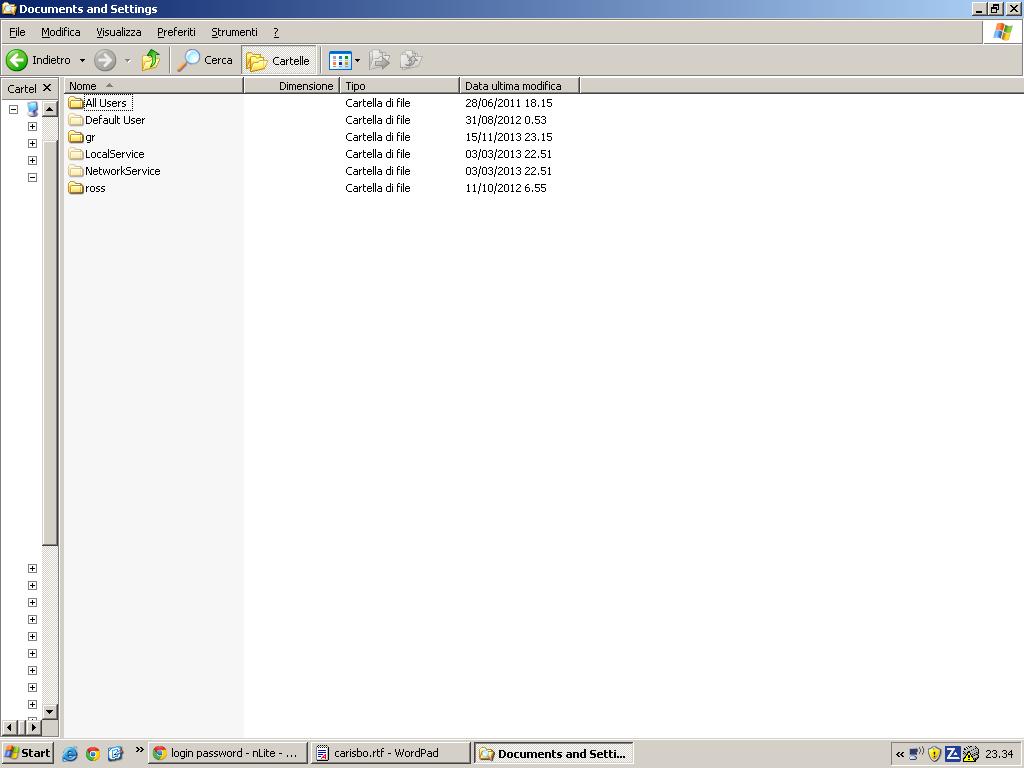
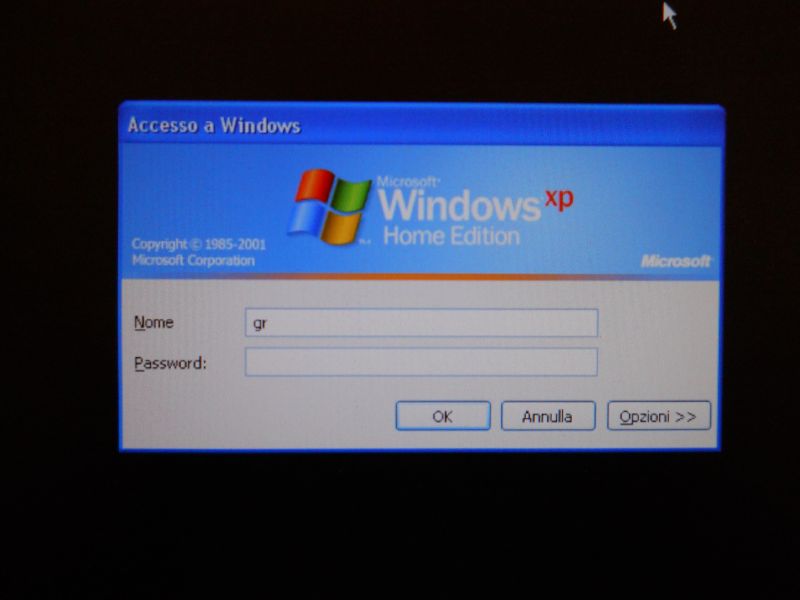
... "someone" asked him to edit the file before posting it. @ gius52, is that "gr" on the 3rd screenshot the name of an account from your former XP ? If not, can you list the folders in "C:\Documents and Settings"? yes, gr is the name of my account; however here is the folder \Documents and Settings
-
... "someone" asked him to edit the file before posting it. @ gius52, is that "gr" on the 3rd screenshot the name of an account from your former XP ? If not, can you list the folders in "C:\Documents and Settings"? yes, it is
-
I post the screenshot and the reason to reinstall xp with nlite was that it became slower and I tried to obtain a lite and faster xp...sigh!
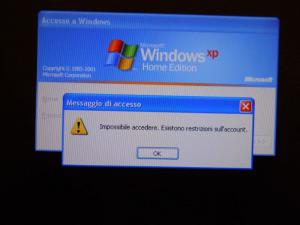
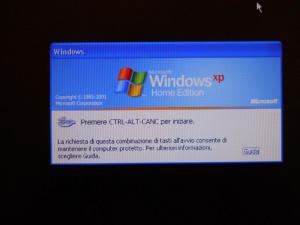
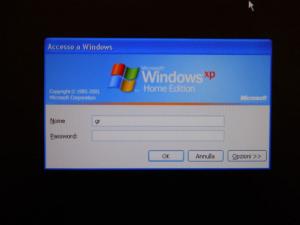
-
any user account is always the same thing; if I don't write the password the system doesn't start. But before the reinstallation I had no password.
-
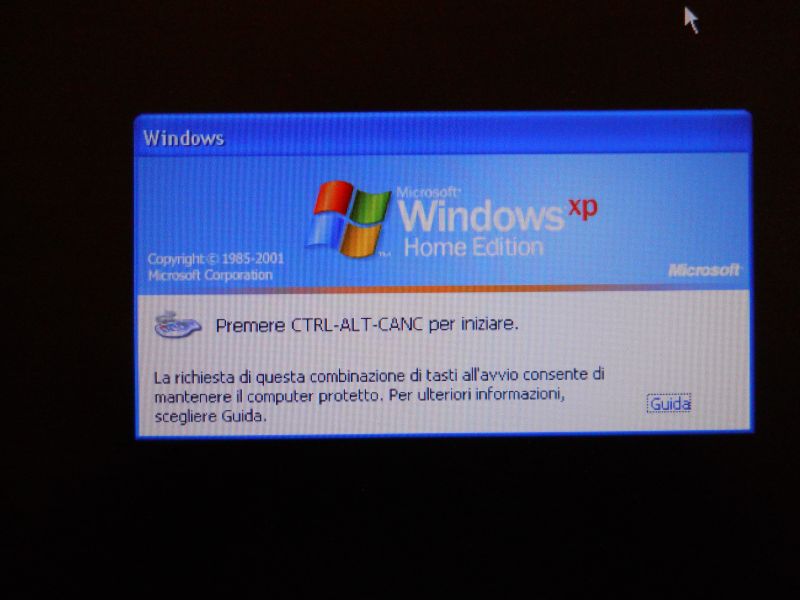
This tweak that you choosed to activate may be the cause (I don't speak italian) "Avvio & Arresto-Ctrl-Alt-Canc all'avvio-Abilita" so what happens if you just put "administrator" and no password ? Also what do you mean by "access to your old XP" ? Is it an install you done or a repair ? Or an install without format and you're talking about your documents ? When I put "administrator" and no password is the same thing, and I did a repair.
-
-
Thank you! This is my last session ini file: ;; nLite private info; (don't post it on the net, it's not important for debugging) [Personal]CDKey = ComputerName = Organization = Language = Italiano (Italia)Locale = Italiano (Italia)Keyboard = ItalianaDomainAdmin = DomainPass = Expirepassword = 0JoinDomain = JoinWorkgroup = Owner = [users]Administrator|||True|Administrators||False|True|TrueGuest|||False|Guests||True|False|FalseNuovo utente|||True|Administrators||False|True|True
-
After reinstalling xp with nlite, the program asks me the password, but I had no password to login xp. So now I can't have access to my old xp! How can I do? Thanks!!!