Skip to content
View in the app

A better way to browse. Learn more.

MSFN

A full-screen app on your home screen with push notifications, badges and more.

To install this app on iOS and iPadOS
  1. Tap the Share icon in Safari
  2. Scroll the menu and tap Add to Home Screen.
  3. Tap Add in the top-right corner.
To install this app on Android
  1. Tap the 3-dot menu (⋮) in the top-right corner of the browser.
  2. Tap Add to Home screen or Install app.
  3. Confirm by tapping Install.

sasanblue

Member
  • Joined

  • Last visited

  • Country

    Kazakhstan

Everything posted by sasanblue

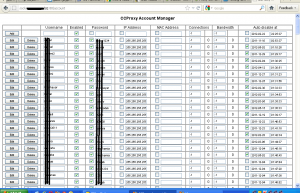
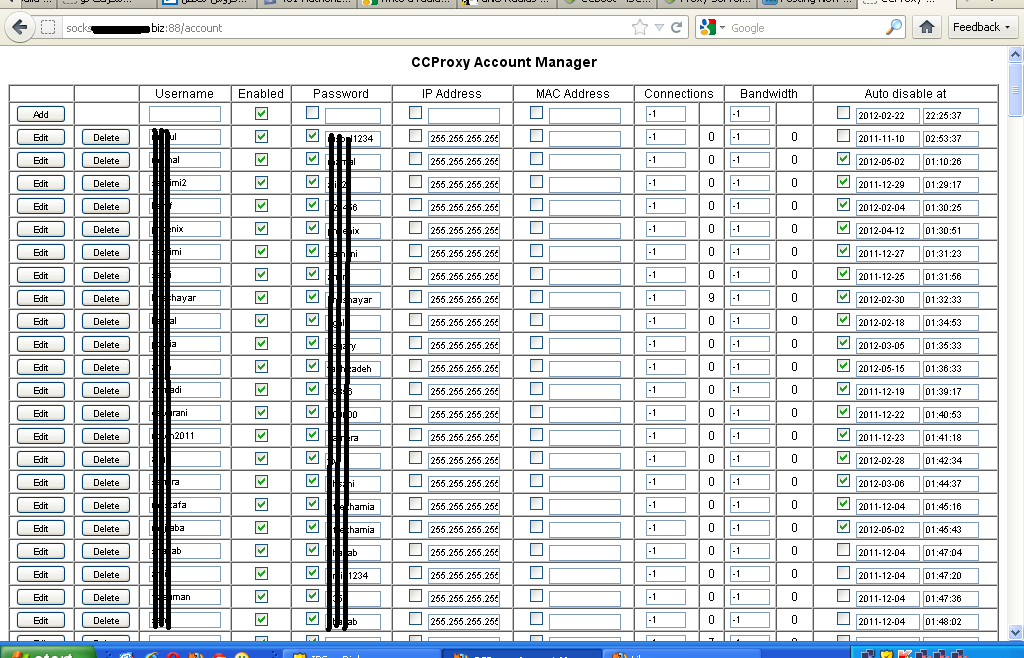
  1. Hi, I am using Youngzsoft CCProxy software to run a proxy server on my LAN, so they can be rolled over the Internet Restrictions in Iran, Syria, China, etc. I use the internal web-based accounting of this soft on http://host:88 for add/modify users. It is a very simple html page and it will generate a 2mb webpage including all user/pass and account details when I create about 250 users. Kinda disaster !!! (attached a webmanager image for 255 users, look at the scroll!!) I want my users to be authenticated with some sort of RADIUS based applications such as Sib, IBSng, TekRadius, etc. Because CCProxy internal web server is generating a heavy loading page when my users grow about 250. My actual company's users are about 4000 ! So I use vmware esxi to split my server to several VPSes and run multiple Windows 2003 with this software. Other thing is that i can't search users before I load the heavy pages. It costs me a lot in time and brings headaches. For this matter I want to authenticate users through commercial version of IBSng, so I need to use RADIUS I think. How can I use RADIUS with CCProxy? Any idea?
  2. Hi. I'm a newbie MCSE student by now, sitting most of the day at my desktop looking around for useful resources and tutorials. Lucky to be here and I hope to run my broadcasting server with Microsoft streaming server, finally! Anyway other experimental MCP related topics in my head is going to be asked and thanks in advance who help me in my issues tnQ

Account

Navigation

Search

Search

Configure browser push notifications

Chrome (Android)
  1. Tap the lock icon next to the address bar.
  2. Tap Permissions → Notifications.
  3. Adjust your preference.
Chrome (Desktop)
  1. Click the padlock icon in the address bar.
  2. Select Site settings.
  3. Find Notifications and adjust your preference.