



Skip to content
View in the app

A better way to browse. Learn more.

MSFN

A full-screen app on your home screen with push notifications, badges and more.

To install this app on iOS and iPadOS
  1. Tap the Share icon in Safari
  2. Scroll the menu and tap Add to Home Screen.
  3. Tap Add in the top-right corner.
To install this app on Android
  1. Tap the 3-dot menu (⋮) in the top-right corner of the browser.
  2. Tap Add to Home screen or Install app.
  3. Confirm by tapping Install.

neoryudo

Member
  • Joined

  • Last visited

  • Country

    United Kingdom
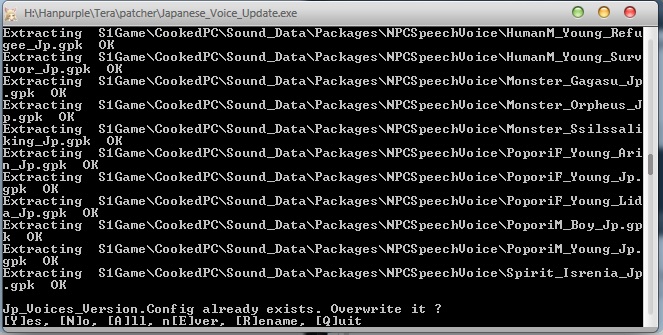
  1. guys i have made a client to patch a game and trying to use Winrar for the Archive file, my only problem is that when it extracts through DOS, it asks if i would like to over write the files even if i have told Winrar to always overwrite, in the scripts box its got ;The comment below contains SFX script commands Overwrite=1 Title=Japanese Voice Updater but as you can see here it still does it?, any help? thanks -NeoRyudo
Account

Navigation

Configure browser push notifications

Chrome (Android)
  1. Tap the lock icon next to the address bar.
  2. Tap Permissions → Notifications.
  3. Adjust your preference.
Chrome (Desktop)
  1. Click the padlock icon in the address bar.
  2. Select Site settings.
  3. Find Notifications and adjust your preference.