Skip to content
View in the app

A better way to browse. Learn more.

MSFN

A full-screen app on your home screen with push notifications, badges and more.

To install this app on iOS and iPadOS
  1. Tap the Share icon in Safari
  2. Scroll the menu and tap Add to Home Screen.
  3. Tap Add in the top-right corner.
To install this app on Android
  1. Tap the 3-dot menu (⋮) in the top-right corner of the browser.
  2. Tap Add to Home screen or Install app.
  3. Confirm by tapping Install.

bench2010

Member
  • Joined

  • Last visited

  • Country

    Canada
  1. Hi! I get a Cancel - Retry - Ignore error when installing adobe reader. Manually selecting ignore installs the application. How can I add the selection of ignore into my silent install? Help asap would be appreciated. My silent install: msiexec /i "C:\xxxxxxx\AcroRead.msi" TRANSFORMS="AcroRead.mst" REBOOT=ReallySuppress /qn
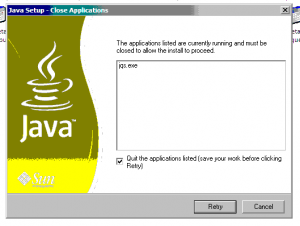
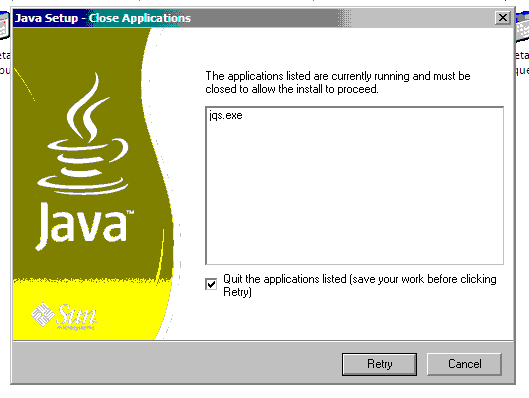
  2. Hello, I received the attached message when trying to silently install Java 6 Update 29. The message pops up on machines with internet explorer opened, or java is being used by another applications. Can someone please tell me where I went wrong, and what I can change in order to make my install more silent. Is IEXPLORER=1 needed? The machines I am updating are all running Windows XP 32 bit. I ran the following: echo off start C:\support\jre-6u29-windows-i586-s.exe /s IEXPLORER=1 REBOOT=SUPRESS JAVAUPDATE=0 SYSTRAY=0 >c:\support\it\install_java.log


Account

Navigation

Configure browser push notifications

Chrome (Android)
  1. Tap the lock icon next to the address bar.
  2. Tap Permissions → Notifications.
  3. Adjust your preference.
Chrome (Desktop)
  1. Click the padlock icon in the address bar.
  2. Select Site settings.
  3. Find Notifications and adjust your preference.