Skip to content
View in the app

A better way to browse. Learn more.

MSFN

A full-screen app on your home screen with push notifications, badges and more.

To install this app on iOS and iPadOS
  1. Tap the Share icon in Safari
  2. Scroll the menu and tap Add to Home Screen.
  3. Tap Add in the top-right corner.
To install this app on Android
  1. Tap the 3-dot menu (⋮) in the top-right corner of the browser.
  2. Tap Add to Home screen or Install app.
  3. Confirm by tapping Install.

ZenathD

Member
  • Joined

  • Last visited

  • Country

    Denmark
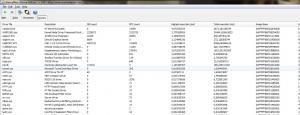
  1. Hi Andre, Great tutorial you made there! I have some serious audio dropouts, and distortions, which is pretty bad since I making music is my hobby. When I run latencymon, I have multiple drivers and processes, which looks like they cause dpc spikes. I have tried to disable the ethernet card, but that does not help. I don't really know where to go from here. Do you think there´s hope for me, or am I totally screwed on this?
Account

Navigation

Search

Search

Configure browser push notifications

Chrome (Android)
  1. Tap the lock icon next to the address bar.
  2. Tap Permissions → Notifications.
  3. Adjust your preference.
Chrome (Desktop)
  1. Click the padlock icon in the address bar.
  2. Select Site settings.
  3. Find Notifications and adjust your preference.