-
-
Autorun Virus Remover. Currently, USB storage is a common source of infection with potentially dangerous content, and malicious programs.If you used pen drive then you came across this virus i.e Autorun.inf. Autorun.inf is the famous virus that can be easily transfer through our pen drives without any notification. Some of the anti virus can detect and most of them are not. But you can delete Autorun.info by running this small software,It not contains malware or viruses. '>Download Free Click here>>>>> Link 1 Link 2 Just download it and extract it,don't want to install it.If you inserting usb pen drive first you must run this software.And you should use antivirus software.Because this is not a virus guard,this is only autorun.info removing tool. Help People Keep Away From Viruses and Malwares Their PC!
-
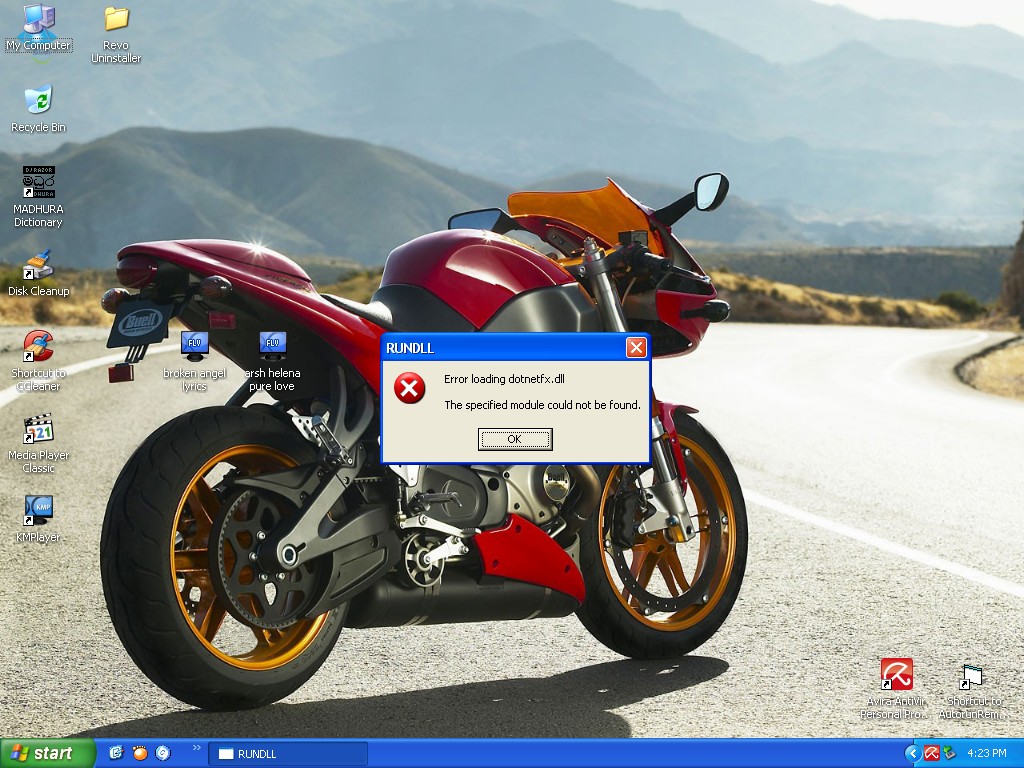
This is the error massage/System properties
-
Comodo Internet Security Download Free>>> Complete protection against viruses and Internet attacks for Windows computers Features Antivirus, Anti-Spyware, Anti-Rootkit & Bot protection Defends your PC from Internet attacks Detects and eliminates viruses Prevents malware from being installed Auto Sandbox Technology™ Easy to install, configure and use Free to both business and home users Internet Security Includes: Antivirus: Tracks down and destroy any existing malware hiding in a PC. Anti-Spyware: Detects spyware threats and destroys each infection. Anti-Rootkit: Scans, detects & removes rootkits on your computer. Bot Protection: Prevents malicious software turning your PC into a zombie. Defense+: Protects critical system files and blocks malware before it installs. Auto Sandbox Technology™: Runs unknown files in an isolated environment where they can cause no damage. Memory Firewall: Cutting-edge protection against sophisticated buffer overflow attacks. Anti-Malware Kills malicious processes before they can do harm.
-
I Cleaned virus in my Pc,something happend,windows starts with error report >Run dll missing,what can i do? please help me!