Skip to content
View in the app

A better way to browse. Learn more.

MSFN

A full-screen app on your home screen with push notifications, badges and more.

To install this app on iOS and iPadOS
  1. Tap the Share icon in Safari
  2. Scroll the menu and tap Add to Home Screen.
  3. Tap Add in the top-right corner.
To install this app on Android
  1. Tap the 3-dot menu (⋮) in the top-right corner of the browser.
  2. Tap Add to Home screen or Install app.
  3. Confirm by tapping Install.

ccc38941

Member
  • Joined

  • Last visited

  • Country

    Denmark
  1. #1 you should NEVER have deps and excludes the same!!! #2 WHEN ARE YOU RUNNING WPI?? 1. Ohhh thought i was normal sincs the all have them 2. I have an updates wpi todo an easyer install when windows crash Edit: 1. change the nr. [xx] and now it is working, thx
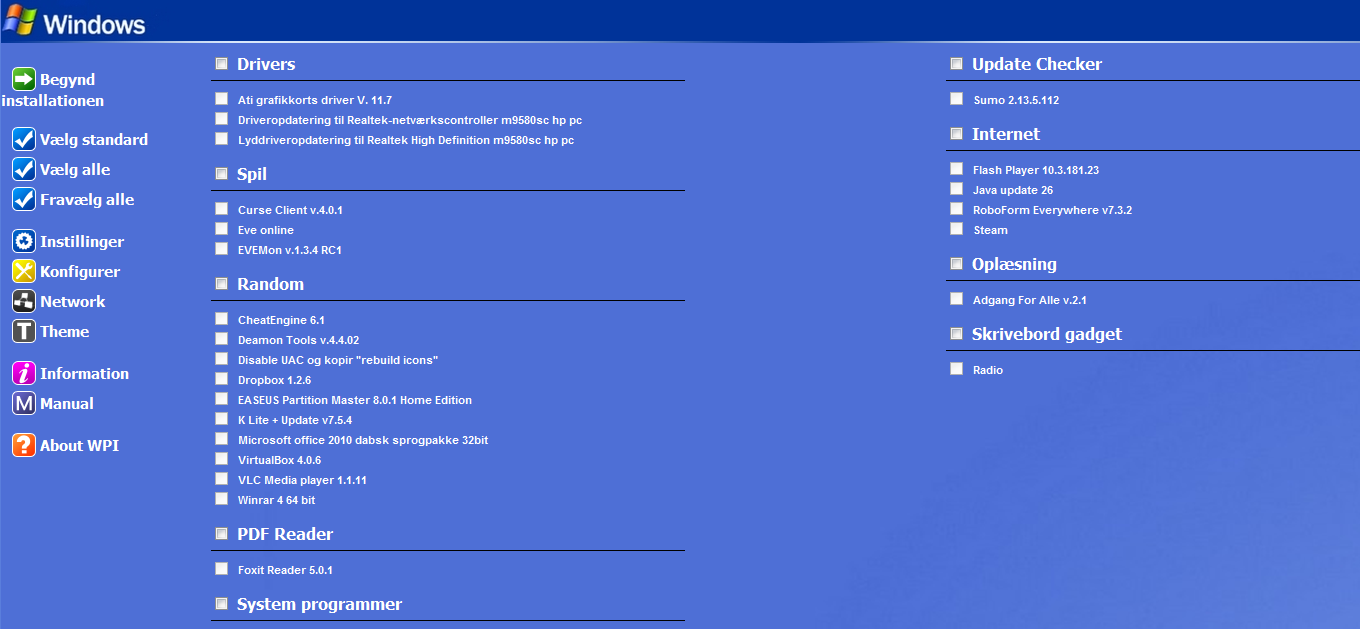
  2. never! the config file for an app is: prog[pn]=['Winrar 4 64 bit']; uid[pn]=['WINRAR464BIT']; dflt[pn]=['yes']; forc[pn]=['no']; bit64[pn]=['no']; cat[pn]=['Random']; pfro[pn]=['no']; cmds[pn]=['"%wpipath%\\Install\\Winrar\\winrar-x64-400.exe"','"%wpipath%\\Install\\Winrar\\key.key"']; deps[pn]=['SUMO2135112']; excl[pn]=['SUMO2135112']; desc[pn]=['Winrar 4 64 bit']; pn++;
  3. any idears? need more info?
  4. I cant click anything any idears what is wrong? Windows 7 - home 64 ( saw that i screwed the os info, it is not vista ) lates version of WpiW 8.2.1
Account

Navigation

Search

Search

Configure browser push notifications

Chrome (Android)
  1. Tap the lock icon next to the address bar.
  2. Tap Permissions → Notifications.
  3. Adjust your preference.
Chrome (Desktop)
  1. Click the padlock icon in the address bar.
  2. Select Site settings.
  3. Find Notifications and adjust your preference.