Skip to content
View in the app

A better way to browse. Learn more.

MSFN

A full-screen app on your home screen with push notifications, badges and more.

To install this app on iOS and iPadOS
  1. Tap the Share icon in Safari
  2. Scroll the menu and tap Add to Home Screen.
  3. Tap Add in the top-right corner.
To install this app on Android
  1. Tap the 3-dot menu (⋮) in the top-right corner of the browser.
  2. Tap Add to Home screen or Install app.
  3. Confirm by tapping Install.

Laur

Member
  • Joined

  • Last visited

  • Country

    Romania
  1. With all due respect, not really "news". See here: After all we could add this bit of info on the read-me-first and FGA's : adding to the list the CA-53 jaclaz My bad...I skipped a few pages but I learned from my mistake.
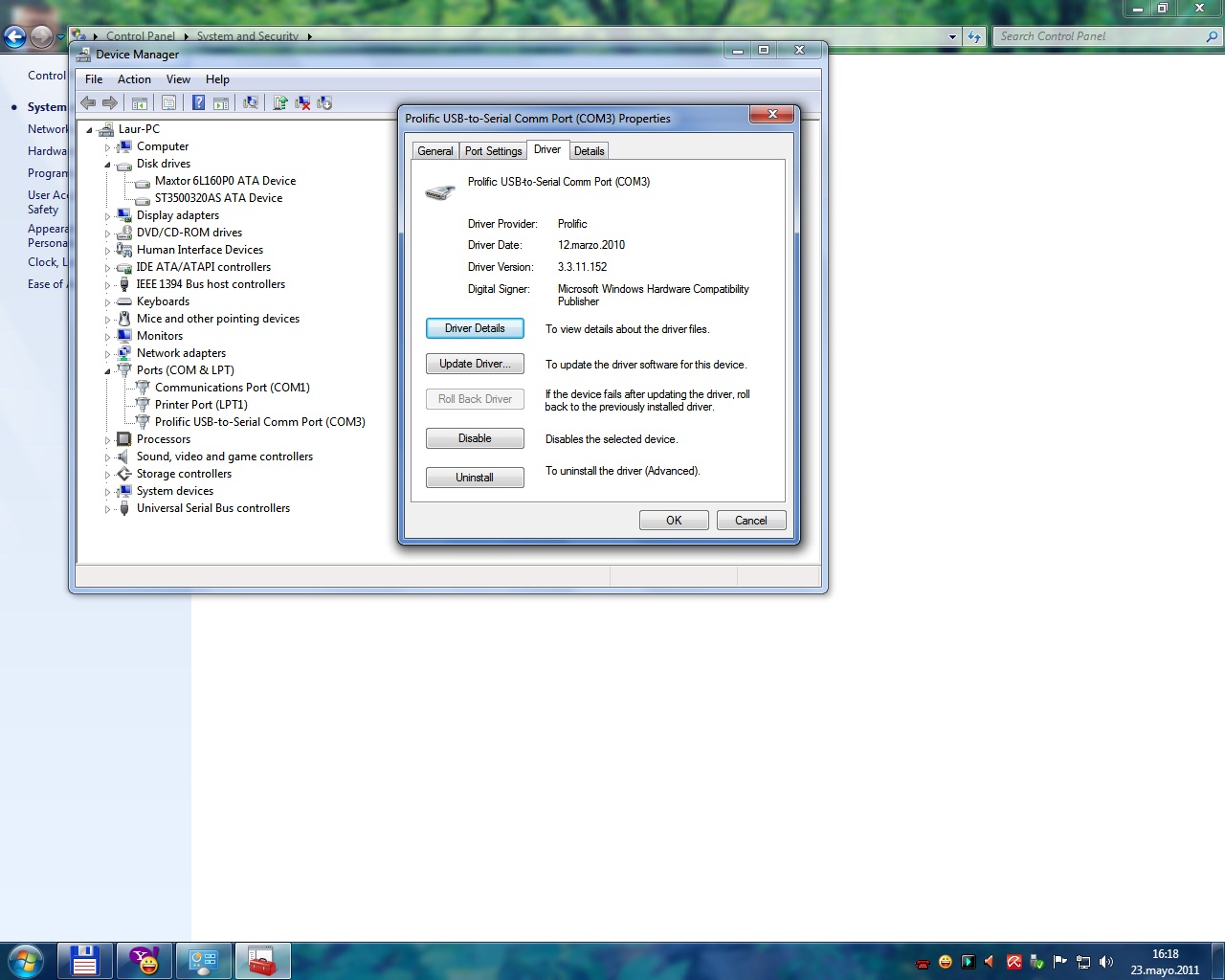
  2. Hello.I've successfully unbricked my HDD from BSY state.After trying three times with a Nokia CA-53 cable I've decided to buy the famous CA-42 one and it worked. My HDD is ST3500320AS firmware SD15(bought in december 2008) and the nokia cable's code is WT048000317.Thank you guys.Oh and I've added two screens with the driver that Win7 installed when I plugged in the cable.Thanks again.
Account

Navigation

Configure browser push notifications

Chrome (Android)
  1. Tap the lock icon next to the address bar.
  2. Tap Permissions → Notifications.
  3. Adjust your preference.
Chrome (Desktop)
  1. Click the padlock icon in the address bar.
  2. Select Site settings.
  3. Find Notifications and adjust your preference.