-
Thanks JACLAZ for pointing me to the right direction, and also for posting up a wealth of information on this site. Yes, I was in a hurry. You should take it a little easy though... seems like you are angry half the time in all your posts and might be becoming a bit of a RACIST, lol... read "only two little indians remain" in... http://www.msfn.org/board/topic/128807-the-solution-for-seagate-720011-hdds/page__st__3345 Seriously though, thank you. Will spend some time looking around the other pages to get my HD issue resolved.
-
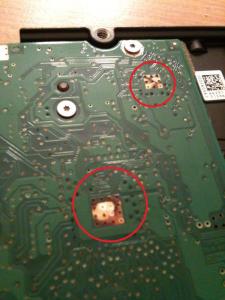
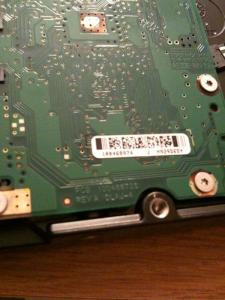
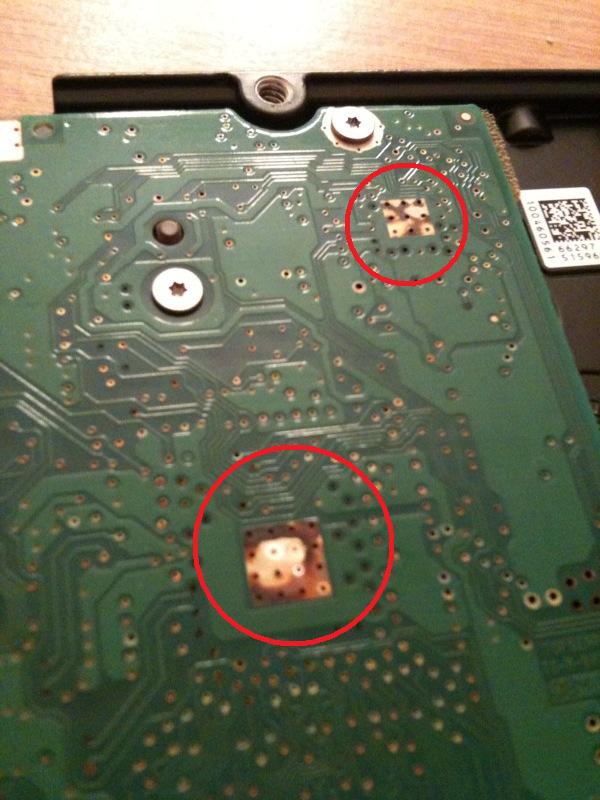
Thanks Gradius for putting up this solution. I myself don't I have the cojones to do PCB "bypass" operation on my HD. Looking for a safer route to resolving my HD issue for now. I have the Seagate 7200.11 ST3500320AS hard drive. Recently, my hard drive started having trouble being recognized at PC start up - no hardware or software changed as of late. Sometimes I see the HD, other times I don't. Really bizarre. When I do see it and choose to load the OS that's installed on it, I will see the windows logo for about 5 to 10 secs and then wham, the system restarts automatically. It's almost as if the HD disappears few seconds into start up. I am wondering if it is a PCB problem. The number is 100466725. Check out the pics. Note the distinct brown patches on two of the chips... doesn't look normal. Thinking about getting a replacement PCB. Please let me know if you think a PCB replacement will solve the problem. Thanks in advance.