Skip to content
View in the app

A better way to browse. Learn more.

MSFN

A full-screen app on your home screen with push notifications, badges and more.

To install this app on iOS and iPadOS
  1. Tap the Share icon in Safari
  2. Scroll the menu and tap Add to Home Screen.
  3. Tap Add in the top-right corner.
To install this app on Android
  1. Tap the 3-dot menu (⋮) in the top-right corner of the browser.
  2. Tap Add to Home screen or Install app.
  3. Confirm by tapping Install.

Win4me

Member
  • Joined

  • Last visited

  • Country

    United States

Everything posted by Win4me

  1. Yeah, I solved the issue a while ago. Thanks for resolving the thread tho!
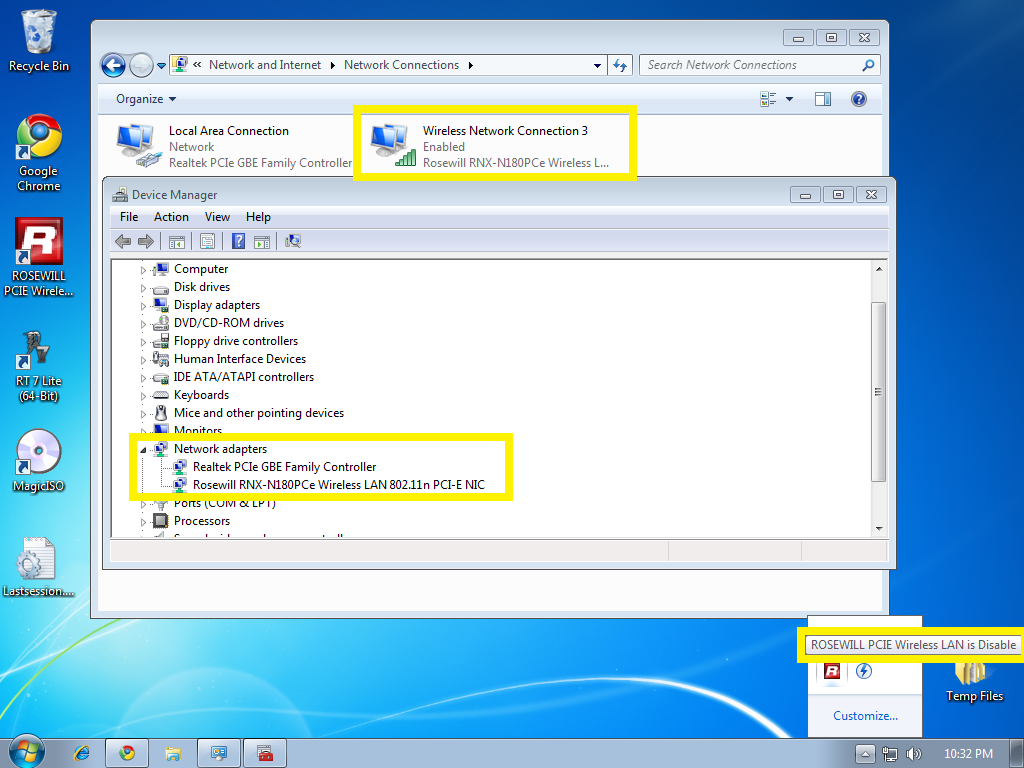
  2. Hey guys I'm having trouble installing my Wireless PCI-E network adapter, I think I may have removed a core component in Win 7 causing my adapter to not work. Drivers are properly installed and even the wireless internet appears enabled but it does not connect. I have attached my lastsession.inf, what I'm wondering is whether I removed any important drivers or protocols that are causing this problem. Lastsession.inf
Account

Navigation

Search

Search

Configure browser push notifications

Chrome (Android)
  1. Tap the lock icon next to the address bar.
  2. Tap Permissions → Notifications.
  3. Adjust your preference.
Chrome (Desktop)
  1. Click the padlock icon in the address bar.
  2. Select Site settings.
  3. Find Notifications and adjust your preference.