Skip to content
View in the app

A better way to browse. Learn more.

MSFN

A full-screen app on your home screen with push notifications, badges and more.

To install this app on iOS and iPadOS
  1. Tap the Share icon in Safari
  2. Scroll the menu and tap Add to Home Screen.
  3. Tap Add in the top-right corner.
To install this app on Android
  1. Tap the 3-dot menu (⋮) in the top-right corner of the browser.
  2. Tap Add to Home screen or Install app.
  3. Confirm by tapping Install.

Dronis

Member
  • Joined

  • Last visited

  • Country

    New Zealand

Everything posted by Dronis

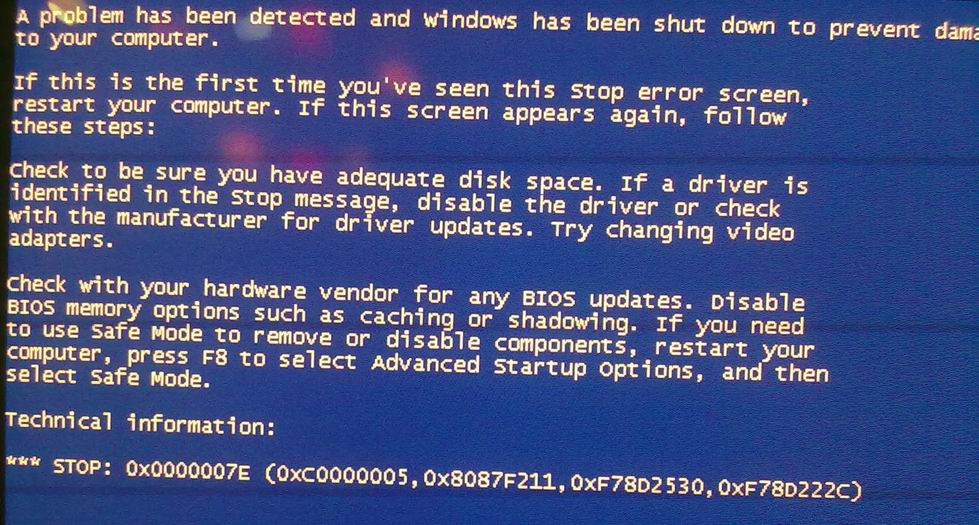
  1. Hello My mobo is M4A88TD-V EVO/USB3 880g/sb850. I have tried to integrate the drivers from support CD and drivers from post #101 into my Win XP Professional SP3 setup CD. In both cases I have got a BSOD with error code 0x0000007E during Windows installation. The BSOD appears after all drivers are loaded from CD (just before you should select a partition to install WinXP into). When SATA is in IDE mode Windows XP installs fine. My BSOD: My LastSession.ini (integrating the drivers from post #101): LastSession.ini


Account

Navigation

Configure browser push notifications

Chrome (Android)
  1. Tap the lock icon next to the address bar.
  2. Tap Permissions → Notifications.
  3. Adjust your preference.
Chrome (Desktop)
  1. Click the padlock icon in the address bar.
  2. Select Site settings.
  3. Find Notifications and adjust your preference.