Skip to content
View in the app

A better way to browse. Learn more.

MSFN

A full-screen app on your home screen with push notifications, badges and more.

To install this app on iOS and iPadOS
  1. Tap the Share icon in Safari
  2. Scroll the menu and tap Add to Home Screen.
  3. Tap Add in the top-right corner.
To install this app on Android
  1. Tap the 3-dot menu (⋮) in the top-right corner of the browser.
  2. Tap Add to Home screen or Install app.
  3. Confirm by tapping Install.

Krig

Member
  • Joined

  • Last visited

  • Country

    United States
  1. I was poking around my device manager, saw I had a PCI multi in-out controller. I remember people having problems with graphics cards and multi-card slot readers. Thought to myself hmmm... So I disabled it and now no more interrupts. ::crosses fingers:: It was a really old product I was using to work a touch-screen IIRC. Right now it will just be disabled, but I will pull it later. Awesome thread. MagicAndre you're a great person for helping all these people, even if you couldn't help me specifically. I learned a lot with your tutorial. Thanks again!
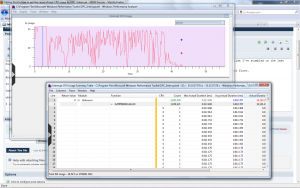
  2. You've helped so many people, patiently, and created a wonderful guide to walk us through it. I made it almost to the very end, but feel like I've stumbled on the last hurdle. My CPU is pegged at 80-100%, no iPhone/apple products. Home built computer. Started some weeks ago running slow, thought it was a virus at first. Anyway, I can't seem to get the symbols to load properly, or they are unable to interpret the data correctly. It seems like this is the culprit: 0xfffff880041d1b10, , 3650421, 0.013408, 0.002767, 10101.914852, 18.18, 13.647265, 42880.785127 obviously, I have no clue what that belongs to. I attached CPUZ and screenshot data below. Actual data collected is too big to post. Nforce4 boards are no longer supported. I updated my ethernet controller with an nforce5 driver, seems to work fine. Not sure what to try next. JAKG-PC.txt


Account

Navigation

Configure browser push notifications

Chrome (Android)
  1. Tap the lock icon next to the address bar.
  2. Tap Permissions → Notifications.
  3. Adjust your preference.
Chrome (Desktop)
  1. Click the padlock icon in the address bar.
  2. Select Site settings.
  3. Find Notifications and adjust your preference.