Skip to content
View in the app

A better way to browse. Learn more.

MSFN

A full-screen app on your home screen with push notifications, badges and more.

To install this app on iOS and iPadOS
  1. Tap the Share icon in Safari
  2. Scroll the menu and tap Add to Home Screen.
  3. Tap Add in the top-right corner.
To install this app on Android
  1. Tap the 3-dot menu (⋮) in the top-right corner of the browser.
  2. Tap Add to Home screen or Install app.
  3. Confirm by tapping Install.

htrieu

Member
  • Joined

  • Last visited

  • Country

    United States
  1. thanks for the reply Andre. I fixed the issue by disabling the JMicron PATA controller in BIOS.
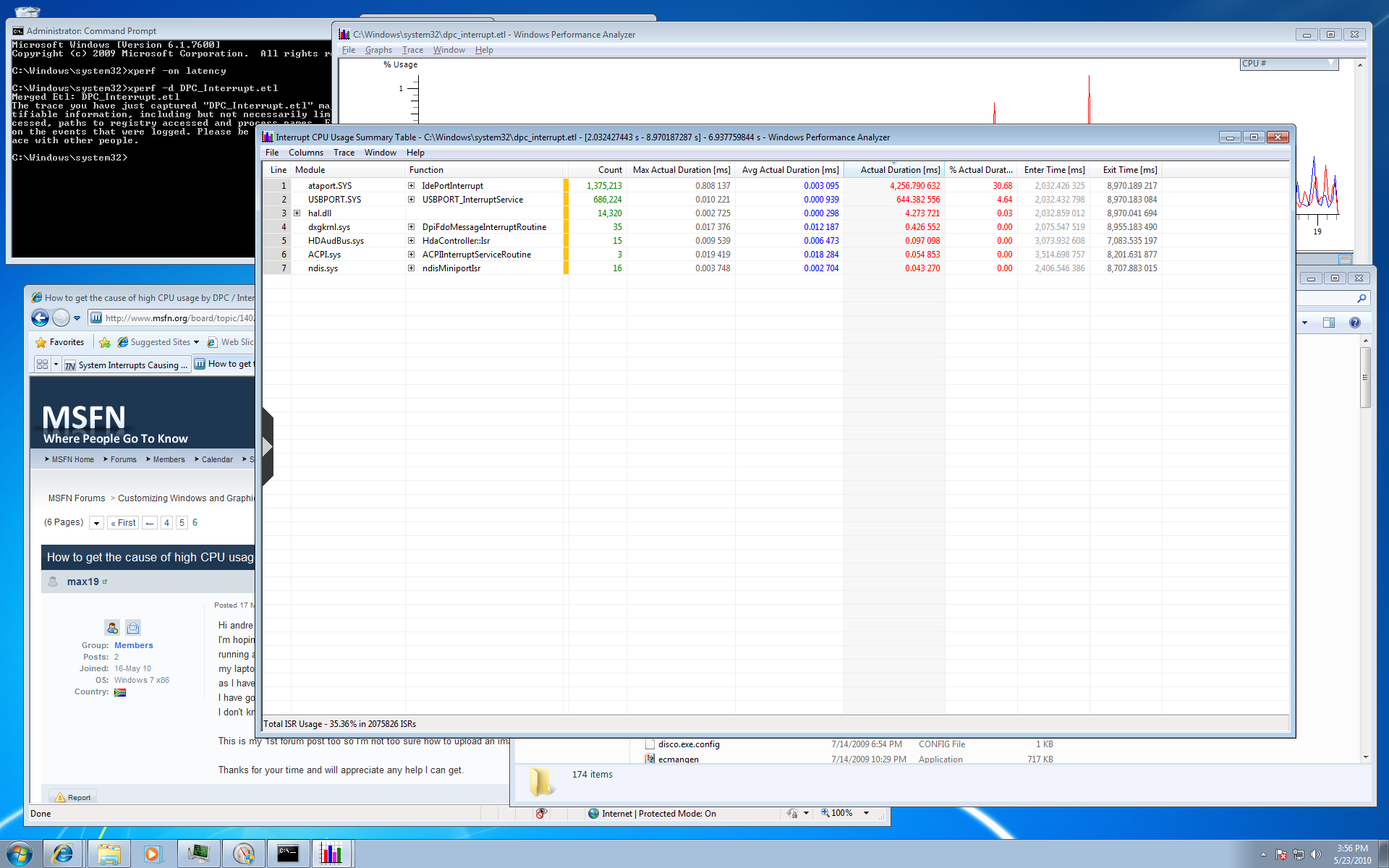
  2. Hi Andre, I followed your procedure to determine the cause of the high CPU usage. It seems that ataport.sys is the culprit, averaging 30.68% CPU usage over the interval I highlighted. USBPORT.sys accounts for 4.64% of the CPU usage. I am running an Asus P5E Deluxe motherboard with an Intel Core 2 Duo E8400. I downloaded the latest drivers from Asus for my P5E, but no luck. My hard drive is a Western Digital 1TB Caviar Black. Some people found NCQ to cause the issue, but my NCQ is turned off and so is AHCI. A screenshot of my Interrupt CPU Usage Summary Table is attached. Any help would be appreciated. Thanks in advance.


Account

Navigation

Configure browser push notifications

Chrome (Android)
  1. Tap the lock icon next to the address bar.
  2. Tap Permissions → Notifications.
  3. Adjust your preference.
Chrome (Desktop)
  1. Click the padlock icon in the address bar.
  2. Select Site settings.
  3. Find Notifications and adjust your preference.