



Skip to content
View in the app

A better way to browse. Learn more.

MSFN

A full-screen app on your home screen with push notifications, badges and more.

To install this app on iOS and iPadOS
  1. Tap the Share icon in Safari
  2. Scroll the menu and tap Add to Home Screen.
  3. Tap Add in the top-right corner.
To install this app on Android
  1. Tap the 3-dot menu (⋮) in the top-right corner of the browser.
  2. Tap Add to Home screen or Install app.
  3. Confirm by tapping Install.

vishal996

Member
  • Joined

  • Last visited

  • Country

    United States
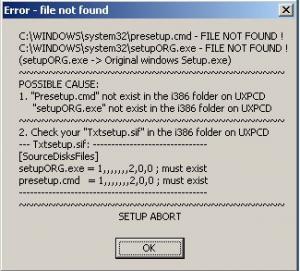
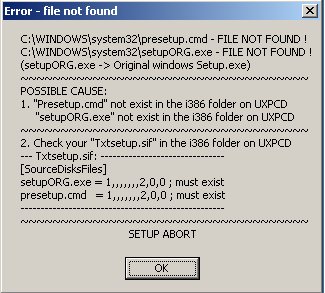
  1. Please help. Okay let me star from the beginning actually i found a great copy of windows xp which i wanted to install on my dell Latitude D610 laptop. My laptop has only one hard drive and while installing the drive i deleted my windows xp original copy by overwriting the new on to the hard drive. My first attempt failed in a blue screen and my second try resulted in windows saying it did not find setupORG.exe file so i just skipped that (wish i hadn't) and later on i got a message everytime i retry to boot from an usb or cd it goes staight to select operating system choice and if i select my previous one it doesn't work and if i select my new one it stops at that the setupORG.exe message. :begging: Please help me
Account

Navigation

Configure browser push notifications

Chrome (Android)
  1. Tap the lock icon next to the address bar.
  2. Tap Permissions → Notifications.
  3. Adjust your preference.
Chrome (Desktop)
  1. Click the padlock icon in the address bar.
  2. Select Site settings.
  3. Find Notifications and adjust your preference.