Skip to content
View in the app

A better way to browse. Learn more.

MSFN

A full-screen app on your home screen with push notifications, badges and more.

To install this app on iOS and iPadOS
  1. Tap the Share icon in Safari
  2. Scroll the menu and tap Add to Home Screen.
  3. Tap Add in the top-right corner.
To install this app on Android
  1. Tap the 3-dot menu (⋮) in the top-right corner of the browser.
  2. Tap Add to Home screen or Install app.
  3. Confirm by tapping Install.

flyboynm

Member
  • Joined

  • Last visited

  • Country

    United States
  1. LOL...I told you I was exhausted! I am having double vision now.
  2. I did a search, but couldn't find this info. It might be because I am blind. It might be because I am exhausted. I probably is because I am stupid. I vaguely remember reading how to make an unattended Windows XP DVD that automatically partitions your hard drive and formats it to the fullest size. Basically a DVD that you can put in and forget about until 40 min or so later and it is up, running and has the apps installed. Where can I find that information on this tweak?
  3. It was an error in the cmdlines.txt that nlite caused. I found the solution earlier and edited original post stating it was solved.
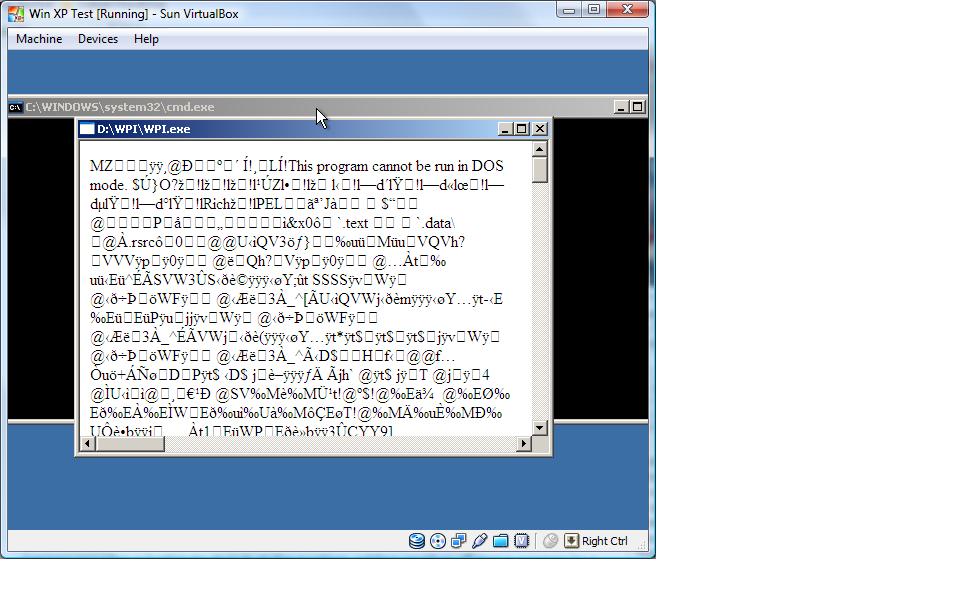
  4. I have a screenshot of the error now.
  5. I did a search, but I couldn't find it. I am trying to automate my installation of various applications onto an N-lite XP SP3 disk. I get through the installation process fine, but when it starts to run WPI, I get a ton of garbage on the screen and an error message stating that WPI cannot run in Dos-Mode. Has anyone else had this come up? How do I fix this issue? Unfortunately, I am building the system as a virtual machine and don't have a screenshot of it right now. I am trying to troubleshoot the automated installer still. LOL (I would like to get that done before I do the WPI fix) Forgot to mention that once Windows XP Pro SP3 gets to the desktop, I can go to the DVD and double click on the WPI html file and it will install without any problems. *solved* When I was adding my driverpacks, my cmdlines.txt in $oem$ was getting modified. I replaced it back with original cmdlines.txt file and it worked.


Account

Navigation

Configure browser push notifications

Chrome (Android)
  1. Tap the lock icon next to the address bar.
  2. Tap Permissions → Notifications.
  3. Adjust your preference.
Chrome (Desktop)
  1. Click the padlock icon in the address bar.
  2. Select Site settings.
  3. Find Notifications and adjust your preference.