Everything posted by Jonny 5
-
Any idea anybody? There must be a reg-key. I tried some keys, but they were not the rights. Am I the only one, who has toolbars one the desktop? It's not the first forum, where I try to solve this issue. Nobody knows a solution Any small utility or tool would be great, if somebody knows. Thanks once more Jonny 5
-
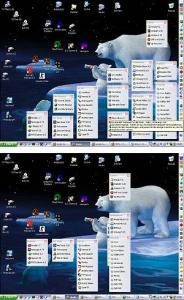
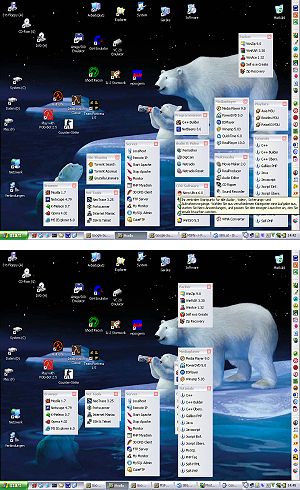
Hi! There are some Tools to save & restore Desktop Icon layout after they've been messed due to resolution switch. Unfortunately they don't save the layout of Desktop-Toolbars. I use desktop Toolbars with Icons and these toolbars always get messed after switching to a lower resolution. In the attached jpg you can see My Desktop before an after switching to eg 640x480 and back to 1024x768. Desktop messed. Can restore Icon Layout, but not Toolbar-Layout Anybody know a registry tweak or tool to save & restore Desktop-Toolbar Positions/Layout? Any help would be greatly appreciated thanks, Jonny 5