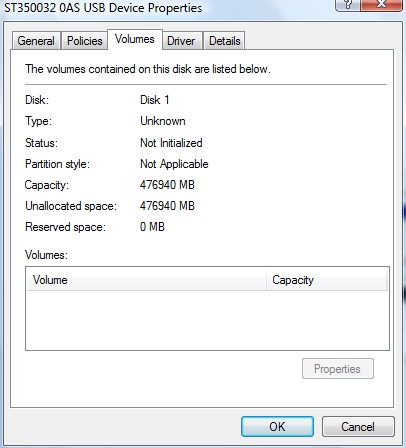
Hello, first of all i thx all who dedicated theirselves to fix this problem. I am in trouble which i cant find a solution in forums. My seagate 3500320as was bricked. I used terminal tricks and got my hd back. I didnt upgrade my sd15 at the begining, and started to backup hd first. But it was locking while transfer : i just got 1gb data; need 400 more^^ Because of locks (i mean it pauses transfering data) i loaded firmware sd1a . But after that upgrade, my hdd bricked again. I used terminal and codes again on Sd1a, didnt have too muhc idea what i was doing btw. My situation atm is : Bios can see my hdd as all values are 0 . In windows : i ca see my hdd in devices : volume bar only has max capacity avaible, type, status etc are messed up. I am using testdisk to recover unallocated partition atm. My mind is messed up as well... In wista storage manager, i have hdd as unknown. trying to write MBR on that and fails. i wrote MBR by testdisk also. I dont know what situation i am in. I need some advice on which way i should go on, please if you have any idea what i should do, tell me. thanks... Also in Testdisk "analyse" there are read errors on cycles is that mean they are "bad sectors" ?