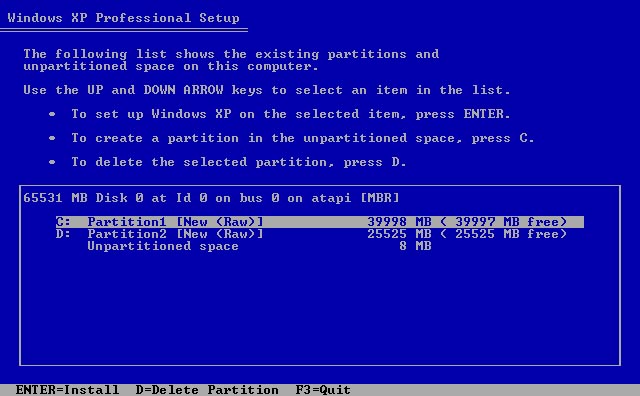
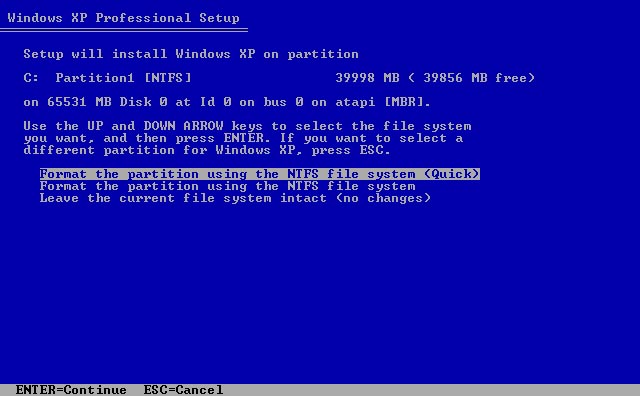
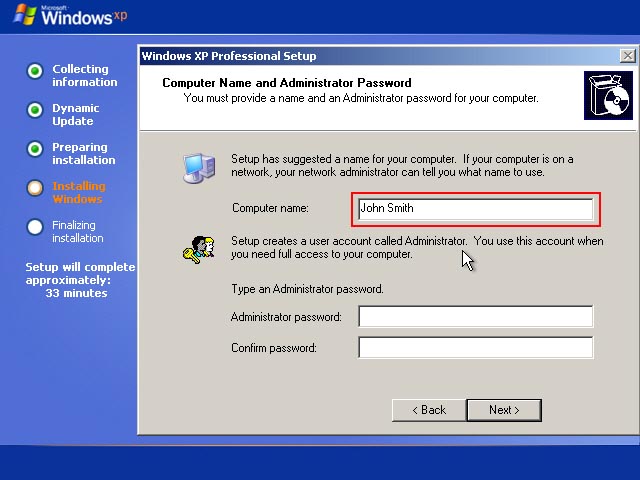
-
Thanks for all assistances.. I've solved Computer Name and Administrator Password screen. The setup will skips this screen if Blank password is checked or type a Password for Administrator. Btw..what is Skip OOBE in General Tab? About iamtheky's code..how to add command line for this batch file? Thanks
-
Ok I can't get it work.. I can't skip the Computer Name and Administrator Password screen.. Here my attached Last Session.. Please help..thanks LAST_SESSION.INI
-
In nLite (unattended mode), I choose "Hide pages" but I cannot skip this screen during installing. Is possible to skip this screen and just select and format Partition1 (C:) without confirmation? And how to skip Computer Name and Administrator Password screen? Thanks..
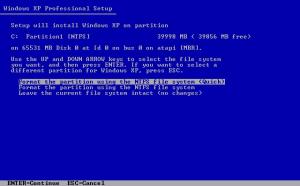
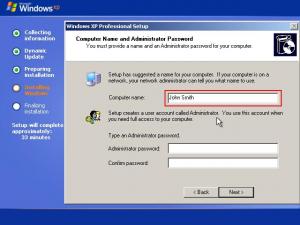
-
Many thanks johnhc..thats I need..
-
Ok johnhc, I think I need RunOnce.. But Iam newbie for this..could you refer the RunOnce tutorial in this forum for me? Thanks..
-
Thanks Sp0iLedBrAt..but in nLite not all tweaks included.. And how about.. if I want to add registry to my app? Can I modify or add registry to Win Xp CD? Thanks..
-
I'm searching in this forum about registry..but not found. Where can I put some registry keys to nLite? E.g: [HKEY_CURRENT_USER\Software\Microsoft\Windows\CurrentVersion\Policies\Explorer] "NoRecentDocsMenu"=dword:00000001 Thanks..