-
Okay, it fixed itself for a bit, but now the cursor has changed to the 'move' cursor (arrows pointing up, down, left, and right). Should I uninstall and reinstall XPize, or is there another option? And no, the cursor in WINDOWS\cursors was/is correct.
-
Unfortunately, that didn't work. I also tried changing it to one of the other layouts, but it still is the vertical resize cursor when I'm using Explorer.
-
Okay, so I'm not sure if this is XPize that did this, but I know I haven't fiddled with any of the settings since installing it. For the last week or so, when I use Explorer the cursor--which should be an arrow--has been replaced with a vertical resizing cursor similar to this one: Has anyone encountered this issue, and can anyone recommend a solution?

-
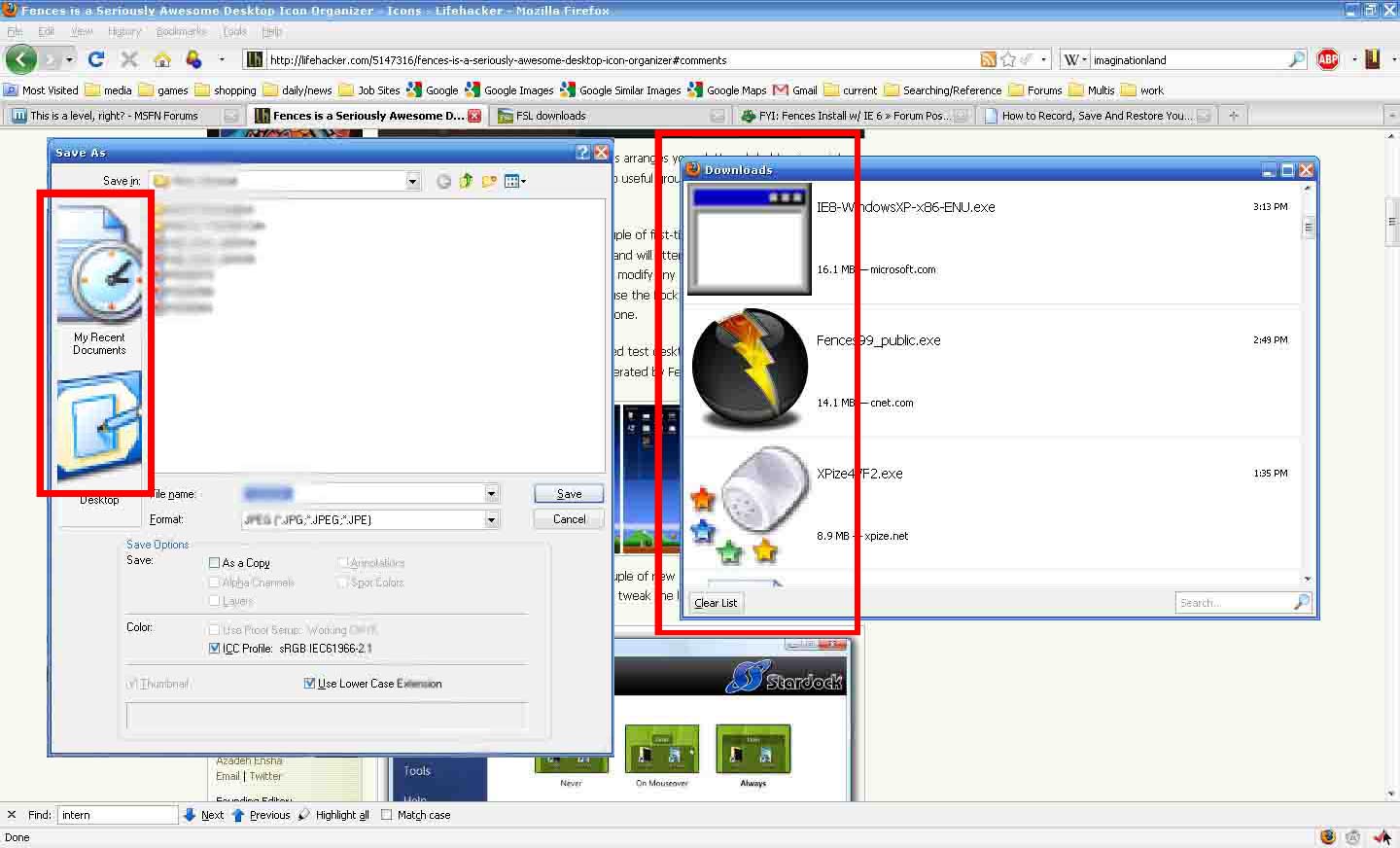
Since I installed XPize, certain windows have been showing extreme icon distortion (see attached image - the download window in firefox and the quick links box in certain saving windows are the only culprits so far). Can anyone tell me how to fix this? I'm using XP 32 bit at 1440x900. If you need any more info, just ask. Thanks in advance.