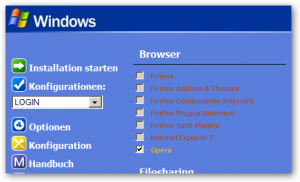
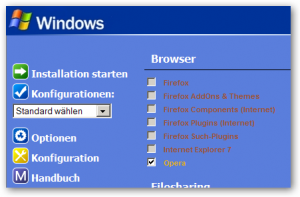
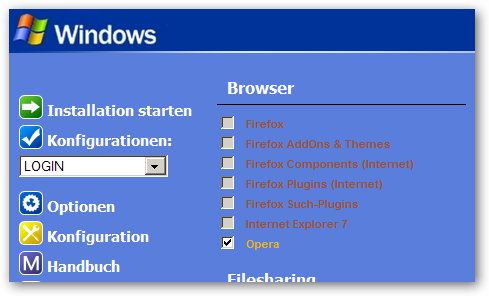
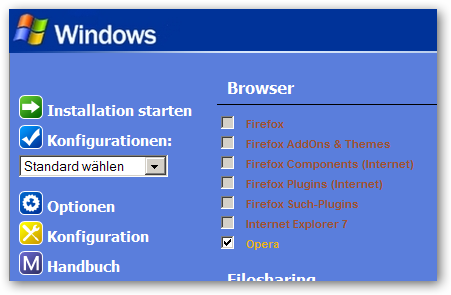
Hello mritter, I use one config.js and one useroptions.js. For different XP installation phases i use different Configurations (Use Multiple Defaults). I check again, and yes, the fix works (sometimes i'am stupid). But when i start with a cmd line configuration, the main interface reports the configuration 'default' (the entry from the config.js) and not the real configuration from the cmd line (see also the picture - post before). For me is much easier und quicker to edit the config.js with notepad++editor, because the file has more than 3700 lines und over 260 entries.Here my useroptions.js // WPI Options 5.0+ // // User defined options // // Window tab Resolution=1280; MainWindowWidth=800; MainWindowHeight=600; MainWindowX=-1; MainWindowY=-1; InstallerWindowX=25; InstallerWindowY=25; // Style tab Theme='Windows'; BgPicture='Wallpaper.jpg'; // General tab NumCols=4; // --- Timer=false; Seconds=15; StartBeepAtSecs=15; // --- Language='de'; // --- ShowExtraButtons=true; DoNotShowIfCD=true; USSFSilentMode=false; VerifyInstallHDD=false; AllowCheckForInternet=false; LoadDesktopBeforeInstall=false; ReOpenAfterInstall=false; DisableCatCheckBoxes=true; SortWithinCats=true; DisableOnDepsNotMet=true; AlwaysUseScrollBar=true; DontSplitCats=true; InstallByCategory=false; ReallyForce=false; DisableIfDoGray=true; InstallFonts=true; ShowCommandInInstaller=true; ShowInstallerImages=false; AlwaysShowOutputWindow=false; DoDebuggerCheck=false; // --- DefaultInstallPath='default'; CustomInstallPath=['']; // --- ShowToolTips=true; UseTransitions=false; IndentText=false; // Audio tab PlayAudioInInstaller=false; InstallAudio=['']; Volume=75; Shuffle=false; CopyAudioFolder=false; CopyAudioPath=['%systemdrive%\\WPI_Audio']; DeleteAudioFolder=false; // Tools tab MonitorResolution=1280; MonitorDepth=32; MonitorRefresh=60; // --- ExecuteBeforeEnabled=true; ExecuteBeforebit64=false; ExecuteBefore=['%ROOT%\\$OEM$\\wpi-control.exe BEFORE']; ExecuteAfterEnabled=true; ExecuteAfterbit64=false; ExecuteAfter=['%ROOT%\\$OEM$\\wpi-control.exe AFTER']; // --- RestartComputer=false; RestartType=0; RestartSeconds=30; DoNotLoadDesktop=false; // --- LogInstallation=true; LogPath=['E:\\nLite\\XPCD-manuell\\WPI\\WPI_Log.txt']; TimeStampLogFile=true; // Sounds tab SndWPIStartCB=false; SndWPIStart=['"%wpipath%\\Audio\\SoundsScheme\\Alert.wav"']; SndInstallStartCB=true; SndInstallStart=['"%wpipath%\\Audio\\SoundsScheme\\AtBeginning.wav"']; SndInstallSuccessCB=false; SndInstallSuccess=['"%wpipath%\\Audio\\SoundsScheme\\Yes.wav"']; SndInstallFailCB=true; SndInstallFail=['"%wpipath%\\Audio\\SoundsScheme\\No.wav"']; SndInstallFinishCB=true; SndInstallFinish=['"%wpipath%\\Audio\\SoundsScheme\\AtEnd.wav"']; SndWPIExitCB=false; SndWPIExit=['"%wpipath%\\Audio\\SoundsScheme\\Exit.wav"']; and the (reduced) config.js file // WPI Config 7.7.0+ // // User defined options // ... ... ... ... // Configurations tab Configurations=['HOTFIX','RUNONCE','LOGIN','MAIN','MANUELL']; ShowMultiDefault=true; //CheckOnLoad='default'; // --- SortOrder=['Browser','Filesharing','Internet','Player','Photo Grafik Bild','Video Audio','Registry','Burn Image Shrink Ripper','Datei-Management','Office Txt Pdf Hex','DvB TV Handy','Sicherheit','Diagnose Test Task BIOS','Packer SFX Inf Inno','System Tuning Utilities','nLite AutoIt WPI','Partition Backup Boot','Codec','Treiber']; //--------------------------------------------------------------------------------------------- // Your programs here ... //--------------------------------------------------------------------------------------------- pn=1; prog[pn]=['7-Zip']; uid[pn]=['7ZIP']; desc[pn]=['Version 4.65 - Datei Archivierer']; ordr[pn]=[260]; dflt[pn]=['no']; forc[pn]=['no']; bit64[pn]=['no']; cat[pn]=['Packer SFX Inf Inno']; configs[pn]=['HOTFIX,RUNONCE,LOGIN,MAIN']; cmds[pn]=['%ROOT%\\Install\\7-zip\\7z465.exe /S','nircmd.exe wait 300','"%ROOT%\\Install\\7-Zip\\clean.cmd"']; cond[pn]=['FileExists("%ROOT%\\Install\\7-zip\\7z465.exe")']; gcond[pn]=['FileExists("%ProgramFiles%\\7-Zip\\7z.exe")']; pn++; prog[pn]=['7-Zip SFX-Creator']; uid[pn]=['7zipSFX']; desc[pn]=['Version 1.1.0.0 - Erstellt 7zip SFX Archive']; ordr[pn]=[265]; dflt[pn]=['no']; forc[pn]=['no']; bit64[pn]=['no']; cat[pn]=['Packer SFX Inf Inno']; configs[pn]=['RUNONCE,LOGIN,MAIN']; cmds[pn]=['%ROOT%\\Install\\7zip-SFX-Creator\\7zip-SFX-Creator-Setup.exe /S /NCRC','setlink.exe "%Programfiles%\\7zip-SFX-Creator\\7zip SFX-Creator.exe" "%UserProfile%\\StartMenü\\System\\nLite\\SFX-AddOn-Plugin\\7zip SFX-Creator.lnk" "%Programfiles%\\7zip-SFX-Creator"']; cond[pn]=['FileExists("%ROOT%\\Install\\7zip-SFX-Creator\\7zip-SFX-Creator-Setup.exe")']; gcond[pn]=['FileExists("%ProgramFiles%\\7zip-SFX-Creator\\7zip SFX-Creator.exe")']; pn++; prog[pn]=['XP-Fehlercodes']; uid[pn]=['XPFEHLERCODES']; desc[pn]=['Version 3.96-2 - ehemals OEM-Installation']; ordr[pn]=[218]; dflt[pn]=['no']; forc[pn]=['no']; bit64[pn]=['no']; cat[pn]=['Diagnose Test Task BIOS']; configs[pn]=['LOGIN,MAIN']; cmds[pn]=['%ROOT%\\Install\\XP-Fehlercodes\\XP-Fehlercodes-Setup.exe /S','setlink.exe "%Programfiles%\\XP-Fehlercodes\\XP-Fehlercode.cmd" "%UserProfile%\\StartMenü\\System\\Hilfen%comma% FAQ\\XP-Fehlercodes.lnk" "%Programfiles%\\XP-Fehlercodes"']; cond[pn]=['FileExists("%ROOT%\\Install\\XP-Fehlercodes\\XP-Fehlercodes-Setup.exe")']; gcond[pn]=['FileExists("%ProgramFiles%\\XP-Fehlercodes\\MSWinErr.exe")']; pn++; prog[pn]=['CPU-Cool']; uid[pn]=['CPUCOOL']; desc[pn]=['Version 1.01']; ordr[pn]=[416]; dflt[pn]=['no']; forc[pn]=['no']; bit64[pn]=['no']; cat[pn]=['Diagnose Test Task BIOS']; configs[pn]=['MANUELL']; cmds[pn]=['{REGEDIT} %ROOT%\\Install\\CPUCooL\\CPUCooL.reg','"%ROOT%\\Install\\CPUCooL\\cpucool-Unattended.exe"','"%ROOT%\\Install\\CPUCooL\\clean.cmd"']; cond[pn]=['FileExists("%ROOT%\\Install\\CPUCooL\\cpucool-Unattended.exe")']; gcond[pn]=['FileExists("%ProgramFiles%\\CPUCooL\\CPUCooL.exe")']; pn++; //--------------------------------------------------------------------------------------------- // End of program definitions ... //--------------------------------------------------------------------------------------------- thanks, for your help Holger