-
gaelon, this is simply compressing the file (done with makecab) and should make no difference. I'm looking again. Enjoy, John. I have compressed the file (intl.inf) into intl.in_, then the iso file was made. During the installation, no problem happened. But the intl.inf in intl.in_ is the same as the original one. I'll follow your suggestions. Further report will be post when i finish the work.
-
In fact, i did such works under winxp sp3 in another computer. After reading other threads, making intl.inf to intl.in_ can solve the problem? anyway, i'll have a try. and a futher result will be post later.
-
THAT is not an OFFICIAL MSDN version. A simple google search told me it is a widely spread warez version... You do realize that software is sometimes leaked straight from MSDN without the filename(s) being changed, right? And anyways, gaelon proved that he got it from MSDN. hehe, i just want to prove that the iso image i used is the same as official msdn edition.
-
i think that "zh-hans" is equal to"zh_CN", and zh_CN is used more often. And i don't know what you mean for the last two sentences, sorry for my poor English.
-
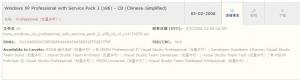
THAT is not an OFFICIAL MSDN version. A simple google search told me it is a widely spread warez version... It's an official MSDN version. And it can be checked here: https://msdn.microsoft.com/zh-cn/subscripti...ds/default.aspx sha1 value is the same as i mentioned above.
-
Last Session.ini is attached. The original is just an msdn edition with sp3 (zh-hans_windows_xp_professional_with_service_pack_3_x86_cd_vl_x14-74070, with sha1sum: d142469d0c3953d8e4a6a490a58052ef52837f0f). I don't make anychange to it before. It's an official editon from Microsoft. I have test the original iso files in virtual machine, there is no such problem. I said that they are basically same, just because the differences between them are the original files have some words or sentences beginning with semicolon and the changed files don't have these. So these two files have different size. But the words beginning with a semicolon don't have any effect and be ignored by the install program, right? Then why the same config files get the different results. I have check the font.inf you metioned, it's different from zh-hans editon, this file is lack of Chinese fonts config lines, such as simsun.ttc. Last_Session.zip
-
which files? font.in_ & intl.inf? The attachement contains four files: font.orig.in_ intl.orig.inf font.in_ and intl.inf. The files whose name contain orig are just copied from the original iso img(winxp with sp3 msdn edition), and the other two are copied from the working directory just being processed by nLite. what i do is just using nLite to integrate intel ICH10R raid & sata drivers. after make the iso files, i test it in the virtual machines, i met the same problem as mentioned by Temps. During the installation, some Chinese characters in titles(big size) can't be displayed. Although these words are just used for the introducion of Window XP, it is still a problem and i don't know whether this affects the system further or not. After reading some posts in Chinese technical forums, i found that many people meet the same problem. and i got one method to solove this problem, just delete such a line" simsun.ttc,,,65536" in intl.inf. and copy the two original files to the working directory also works. i really hope to get an official solution. thanks a lot. Glad to get any further contacts. config_file.zip
-
...................... [Drivers] [Hotfixes] But someone told me another way: Find "simsun.ttc,,,65536" in INTL.INF, delete it or replace with ";simsun.ttc,,,65536". Tested work. The original ISO has the line "simsun.ttc,,,65536" too. I don't know why. i met the same problem when using nlite 1.4.9.1 to integrate intel raid drivers. Some Chinese characters can not be displayed correctly during the installation. I copy the original intl.inf and font.in_ to the directory I386, the problem is solved. I don't know the reason. I have checked the two intl.inf and font.in_, the differences between them are just some words begining with semicolon which shoud be ignored. i can draw a conclusion that basically these two files are same. Why same config files cause different results? I think it may be a bug of nlite. any suggestions? thanks a lot.